Tag: SEO for Beginners

  • Blogging Guide 2026: Complete       Guide for Beginners

    Blogging Guide 2026: Complete Guide for Beginners

    Blogging Guide: How to Start a Blog and Grow It Successfully

    Blogging remains one of the most effective ways to build an online presence, attract organic traffic, and grow a business in 2026. Whether you want to start a personal blog, build a niche website, or use blogging for your business, a clear strategy can help you achieve better results.

    This Blogging Guide 2026 explains how to start a blog, choose the right niche, create SEO-friendly content, attract readers, and eventually monetize your website.

    What Is Blogging Guide?

    Blogging is the process of regularly publishing useful and informative content on a website. Blog posts can cover almost any topic, including technology, finance, health, travel, lifestyle, education, marketing, and business.

    For US audiences, successful blogs usually focus on solving specific problems or answering questions people search for on Google and other search engines.

    The goal is not simply to publish more articles. The goal is to create helpful, original, and search-friendly content that provides real value to readers.
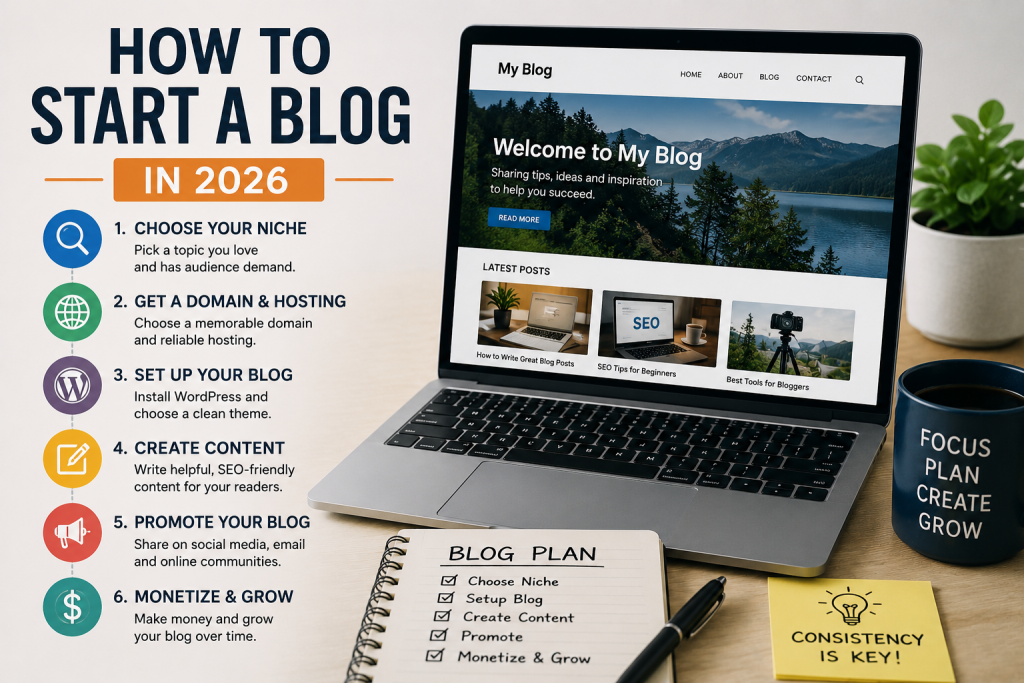
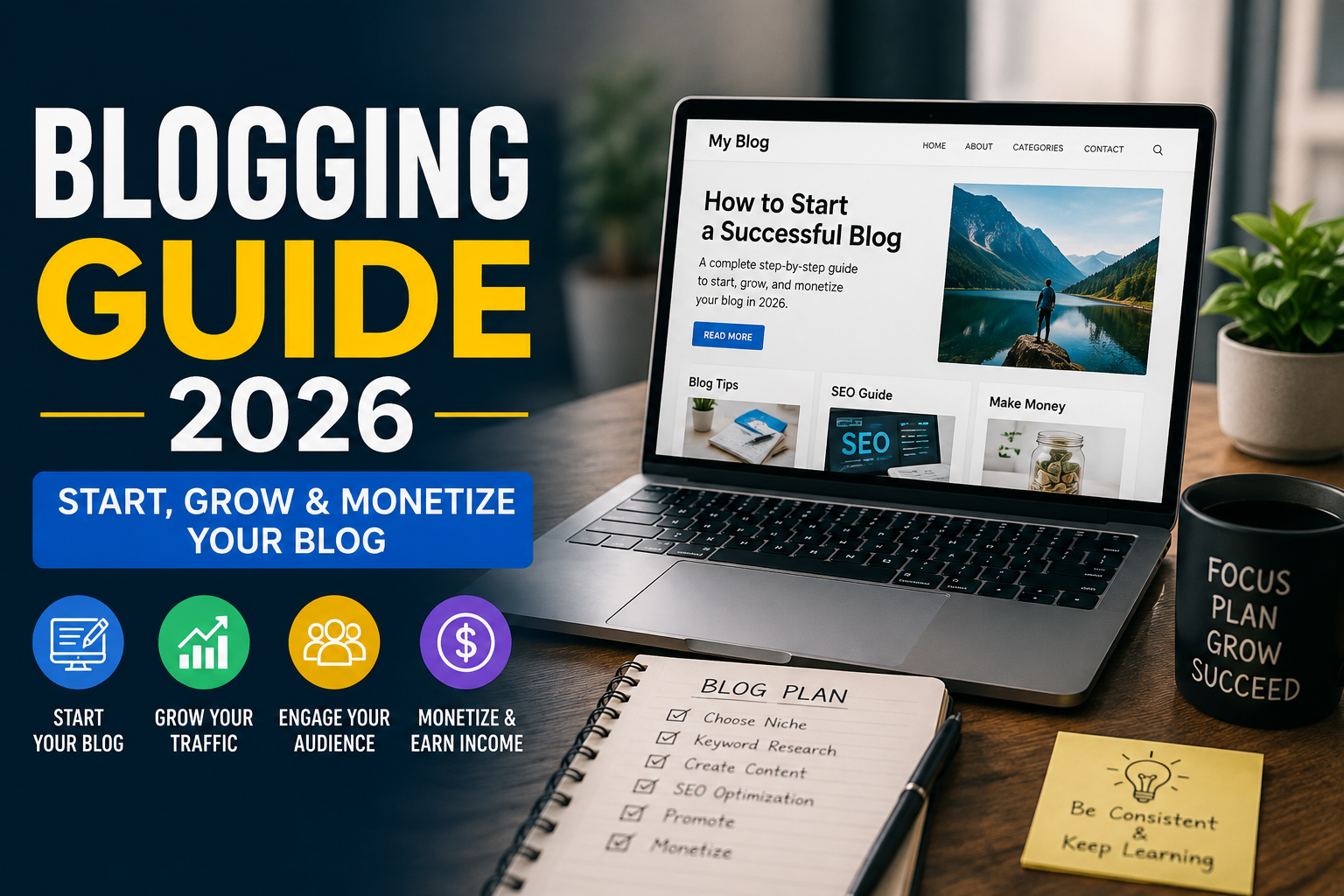
    A modern blog setup illustration showing the key steps to start a blog in 2026, including choosing a niche, domain and hosting, creating content, promotion, and monetization.

    How to Start a Blog in 2026

    Starting a blog is easier than ever, but choosing the right foundation is important. Follow these basic steps.

    1. Choose a Profitable Blog Niche

    Your niche is the specific topic your blog will focus on. Choose a subject that has enough search demand and gives you opportunities to publish many useful articles.

    Popular blog niches in the US include:

    • Artificial intelligence and technology
    • Personal finance
    • Digital marketing
    • Real estate
    • Health and fitness
    • Travel
    • Education
    • Software and SaaS
    • Home improvement
    • Career development

    Instead of targeting an extremely broad topic, consider starting with a more specific niche. A focused website can make it easier to build topical authority.

    2. Select a Domain Name and Hosting

    Choose a short, memorable domain name that is relevant to your brand or niche. Avoid complicated spellings, excessive hyphens, or names that are difficult to remember.

    You also need reliable web hosting. Your hosting provider should offer good performance, security, uptime, and customer support.

    3. Create an SEO-Friendly Website

    Your blog should have a clean and mobile-friendly design. Make sure visitors can easily navigate between categories and articles.

    Important website pages include:

    • Homepage
    • About page
    • Contact page
    • Privacy Policy
    • Terms and Conditions
    • Blog page

    A fast website with clear navigation can also provide a better user experience.

    How to Find Blog Topics

    One of the most important parts of blogging Guide is finding topics people actually search for.

    Start with your main keyword and identify related questions and long-tail keywords. For example, if your main topic is blogging, related searches could include:

    • How to start a blog
    • How to make money blogging
    • Blogging Guide tips for beginners
    • Best blogging platforms
    • How to write a blog post
    • How to get blog traffic

    Long-tail keywords can be particularly useful for newer websites because they often target more specific search intent.

    How to Write SEO-Friendly Blog Posts

    Creating SEO-friendly content does not mean filling an article with keywords. Instead, focus on search intent and usefulness.

    Use your primary keyword naturally in important locations such as the title, introduction, headings, URL, and relevant parts of the article.

    Your content should also include related keywords and answer the questions readers are likely to have.

    Blogging Guide Helps A strong blog post generally includes:

    1. A clear title
    2. A useful introduction
    3. Logical headings and subheadings
    4. Short paragraphs
    5. Relevant examples
    6. Helpful internal links
    7. Trusted external references when appropriate
    8. A concise conclusion
    9. FAQs when they genuinely help readers

    How to Get More Blog Traffic

    Publishing content is only the beginning. You also need a strategy for attracting visitors Blogging Guide.

    Search engine optimization can help your articles appear in organic search results. Internal linking can help search engines understand your website structure and help visitors discover related content.

    You can also promote your articles through social media, email newsletters, online communities, and other legitimate marketing channels.

    For US-focused websites, creating content around US-specific problems, products, locations, regulations, and search behavior can help make your content more relevant to American readers.

    How to Make Money From Blogging

    Once your blog starts receiving consistent traffic, there are several ways to monetize it.

    Common blogging Guide monetization methods include:

    • Display advertising
    • Affiliate marketing
    • Sponsored content
    • Digital products
    • Online courses
    • Consulting services
    • Premium memberships
    • Lead generation

    You do not need millions of visitors to make money. A smaller website with highly targeted traffic can sometimes generate better revenue than a large website with low-intent visitors.
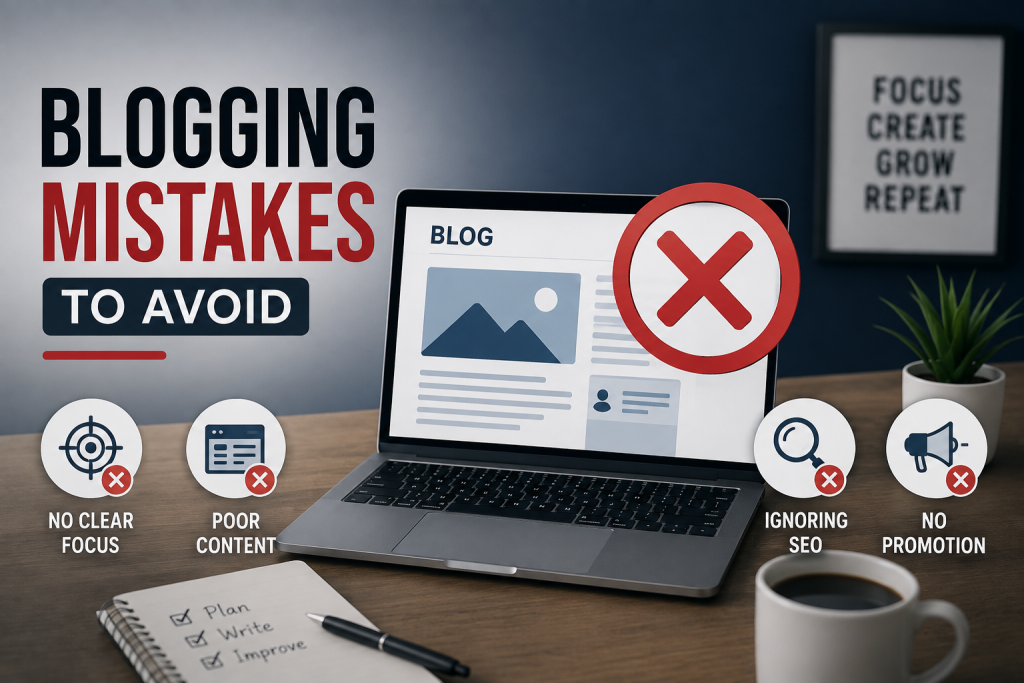
    Blogging mistakes to avoid for beginners

    Blogging Mistakes to Avoid

    New bloggers often make the mistake of publishing random topics without a clear strategy. Other common mistakes include keyword stuffing, copying content, ignoring search intent, using poor-quality images, and expecting immediate traffic.

    Blogging is a long-term strategy. Focus on consistent publishing, improving existing content, building topical authority, and understanding what your audience wants.

    Final Thoughts

    This Blogging Guide 2026 shows that successful blogging requires more than simply writing articles. You need the right niche, useful content, SEO strategy, consistent publishing, and a clear understanding of your audience.

    If you are targeting the US market, focus on creating genuinely helpful content that answers real search queries and provides a better experience than competing pages. With patience and a well-planned strategy, blogging can become a powerful source of traffic, leads, and online income.
  • Google Search Console Guide (2026): Complete SEO Tutorial

    Google Search Console Guide (2026): Complete SEO Tutorial

    Google Search Console Guide (2026): Complete Beginner’s SEO Guide

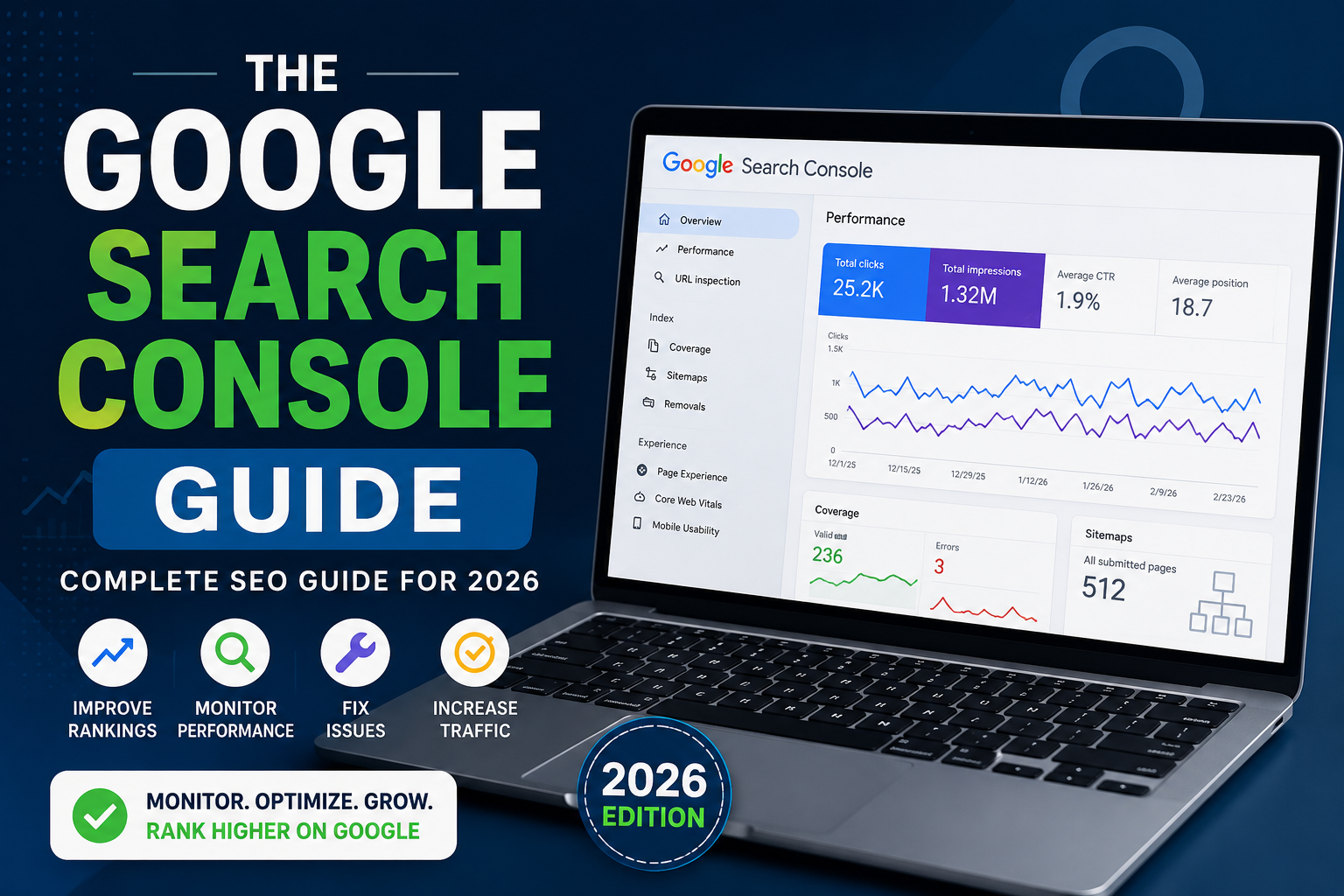
    If you want your website to rank higher on Google, following a Google Search Console Guide is one of the smartest decisions you can make. Whether you own a blog, an eCommerce store, or a business website in the United States, Google Search Console provides valuable insights into your site’s search performance.

    This Google Search Console Guide explains everything beginners need to know in 2026, from setting up your account to improving rankings and fixing SEO issues.


    What Is Google Search Console?

    Google Search Console is a free tool from Google that helps website owners monitor, maintain, and improve their visibility in Google Search results.

    Using this Google Search Console Guide, you’ll learn how to:

    • Track keyword rankings
    • Monitor website indexing
    • Find crawl errors
    • Submit XML sitemaps
    • Improve Core Web Vitals
    • Increase organic traffic

    For businesses targeting the U.S. market, Google Search Console is an essential part of every SEO strategy.


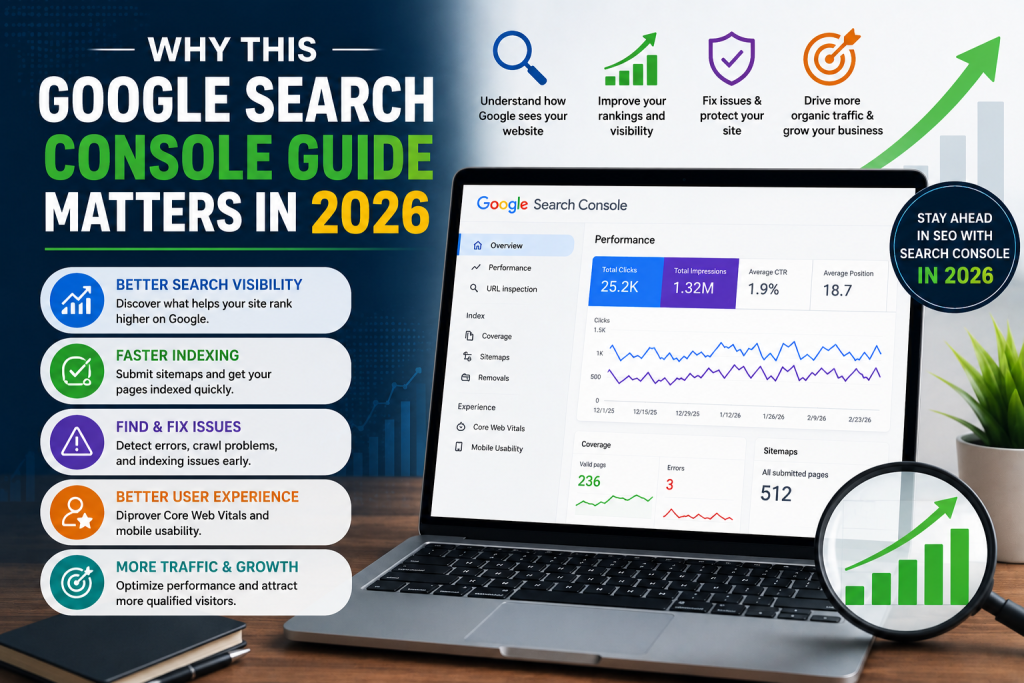
    Why Google Search Console Guide Matters in 2026 infographic showing Search Console dashboard, SEO analytics, indexing, website performance, and organic traffic growth.

    Why This Google Search Console Guide Matters in 2026

    Search engine optimization continues to evolve, and Google’s algorithms become smarter every year. Following a reliable Google Search Console Guide helps you understand how Google views your website.

    Benefits include:

    • Better search visibility
    • Faster indexing
    • Improved user experience
    • Higher click-through rates (CTR)
    • Better keyword optimization
    • Stronger technical SEO

    Whether you’re a beginner or an experienced marketer, Search Console provides data that can improve your rankings.


    How to Set Up Google Search Console

    This Google Search Console Guide recommends completing these steps first.

    1. Verify Your Website

    Choose one of these verification methods:

    DNS verification is usually the best long-term option.

    2. Submit Your XML Sitemap

    Navigate to the Sitemap section and submit:

    This helps Google discover your pages more efficiently.

    3. Wait for Data Collection

    Google usually starts collecting performance data within a few days.


    Understanding the Performance Report

    One of the most useful parts of this Google Search Console Guide is learning how to read the Performance report.

    You’ll see important metrics such as:

    • Total Clicks
    • Total Impressions
    • Average CTR
    • Average Position

    These metrics help you understand:

    • Which keywords bring traffic
    • Which pages perform best
    • Which pages need optimization

    Review these reports regularly to improve your SEO strategy.


    Fix Indexing Problems

    Many websites lose traffic because important pages are not indexed.

    This Google Search Console Guide recommends checking the Pages report frequently.

    Common indexing issues include:

    • Noindex tags
    • Blocked robots.txt files
    • Redirect errors
    • Duplicate pages
    • Soft 404 pages
    • Server errors

    Fixing these issues can significantly improve search visibility.


    Improve Core Web Vitals

    Google considers page experience a ranking factor.

    The Core Web Vitals report measures:

    • Largest Contentful Paint (LCP)
    • Interaction to Next Paint (INP)
    • Cumulative Layout Shift (CLS)

    Improving these metrics helps increase rankings while providing a better user experience.


    Monitor Mobile Usability

    Most U.S. users browse on smartphones.

    A complete Google Search Console Guide always recommends checking mobile usability to ensure your website:

    • Loads quickly
    • Uses responsive design
    • Has readable text
    • Features clickable buttons
    • Avoids layout issues

    Mobile-friendly websites often perform better in Google Search.


    Use URL Inspection

    The URL Inspection Tool is one of Search Console’s most valuable features.

    It allows you to:

    • Check if a page is indexed
    • Request indexing
    • View crawl status
    • Detect indexing issues
    • Test live URLs

    Whenever you publish new content, use this feature to request faster indexing.


    Monitor Backlinks

    Another useful feature in this Google Search Console Guide is the Links report.

    You can view:

    • Top linked pages
    • External backlinks
    • Internal links
    • Top linking websites

    Monitoring backlinks helps you understand your website’s authority and identify opportunities for stronger internal linking.


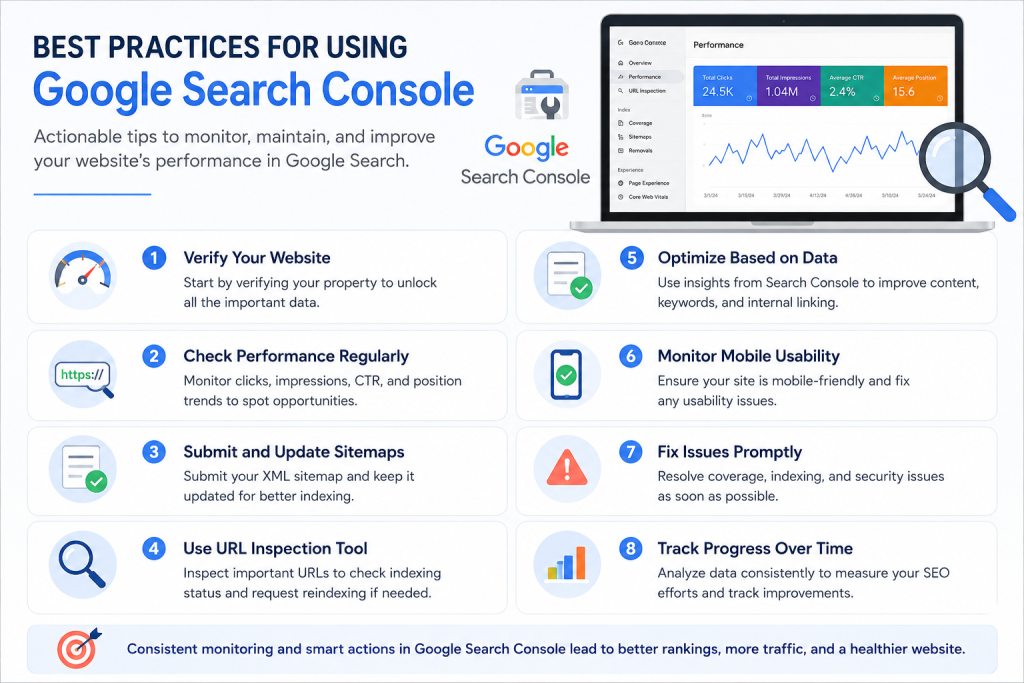
    An infographic showing the best practices for using Google Search Console, including monitoring performance, submitting sitemaps, checking URLs, fixing indexing issues, improving mobile usability, and tracking SEO progress.

    Best Practices for Using Google Search Console

    To maximize SEO success:

    • Check reports every week.
    • Submit updated sitemaps after major changes.
    • Monitor indexing regularly.
    • Fix crawl errors immediately.
    • Improve low-CTR pages.
    • Optimize pages with high impressions but low clicks.
    • Review Core Web Vitals monthly.
    • Track keyword performance consistently.

    Following these habits helps maintain healthy website performance.


    Common Mistakes to Avoid

    Even experienced website owners make mistakes.

    Avoid:

    • Ignoring indexing errors
    • Never checking Performance reports
    • Forgetting sitemap updates
    • Not fixing mobile issues
    • Ignoring Core Web Vitals
    • Requesting indexing repeatedly without changes
    • Failing to monitor backlinks

    Correcting these issues can lead to better search performance over time.


    Conclusion

    This Google Search Console Guide is one of the best resources for anyone who wants to improve SEO in 2026. From tracking keywords and monitoring indexing to fixing technical errors and improving Core Web Vitals, Google Search Console provides the insights needed to grow organic traffic. By following this Google Search Console Guide consistently, U.S. website owners can build stronger search visibility, improve rankings, and achieve long-term SEO success.


    Frequently Asked Questions

    What is Google Search Console used for?

    Google Search Console helps website owners monitor search performance, fix indexing issues, submit sitemaps, and improve SEO.

    Is Google Search Console free?

    Yes. Google Search Console is completely free for all website owners.

    How often should I check Google Search Console?

    Most SEO professionals recommend reviewing your reports at least once a week.

    Does Google Search Console improve rankings?

    It doesn’t directly improve rankings, but it helps identify SEO issues that can positively impact your search visibility.

    Can beginners use Google Search Console?

    Absolutely. This Google Search Console Guide is designed for beginners as well as experienced marketers.

  • Keyword Research in 2026: The Complete Guide to Finding Better Keywords

    Keyword Research in 2026: The Complete Guide to Finding Better Keywords

    Keyword Research Guide: How to Find the Right Keywords in 2026

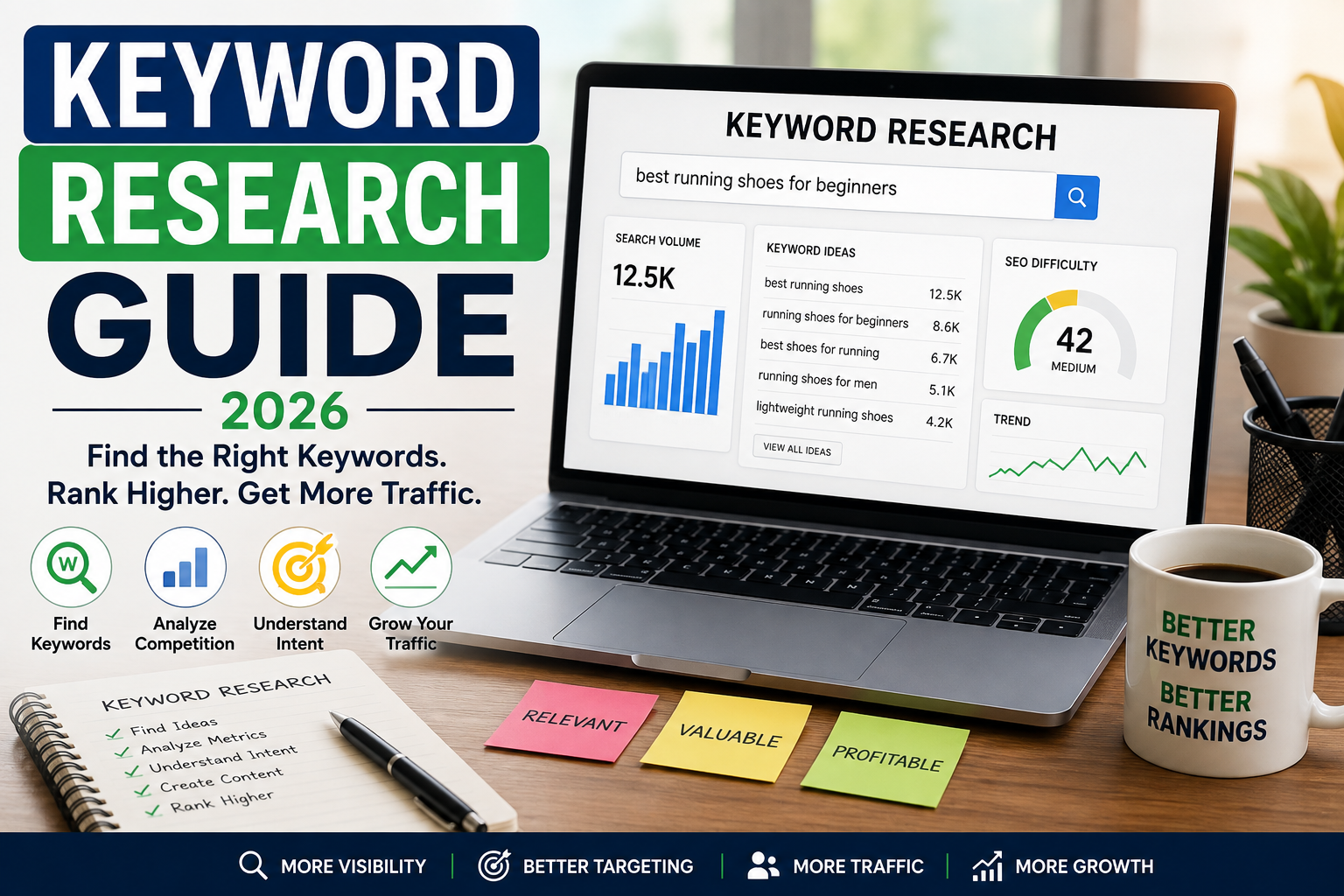
    If you want your website to attract organic traffic from Google, keyword research is one of the first SEO skills you should learn. Choosing the right keywords helps you understand what your target audience is searching for and what type of content you should create.

    This Keyword Research Guide explains how keyword research works, how to find valuable search terms, how to understand search intent, and how U.S. businesses and website owners can use keywords to build a stronger SEO strategy in 2026.

    What Is Keyword Research?

    Keyword research is the process of finding and analyzing the words and phrases people enter into search engines.

    For example, someone looking for a local roofing company might search for:

    • “roof repair near me”
    • “roof replacement cost”
    • “best roofing company Dallas”
    • “emergency roof repair”
    • “how much does a new roof cost”

    These searches provide valuable information about what potential customers want to know or buy.

    The goal of keyword research isn’t simply to find keywords with the highest search volume. Instead, you want to identify keywords that are relevant, useful, and connected to your audience’s search intent.

    Why Is Keyword Research Important in 2026?

    Search engines are becoming better at understanding topics, context, and user intent. This makes strategic keyword research more important than simply repeating an exact phrase throughout an article.

    Effective keyword research can help you:

    • Discover content opportunities
    • Understand your audience
    • Attract relevant organic traffic
    • Improve content planning
    • Find potential customers
    • Identify competitive topics
    • Build topic authority

    For U.S. businesses, keyword research can also reveal valuable location-based searches that help connect your website with customers in specific cities and states.

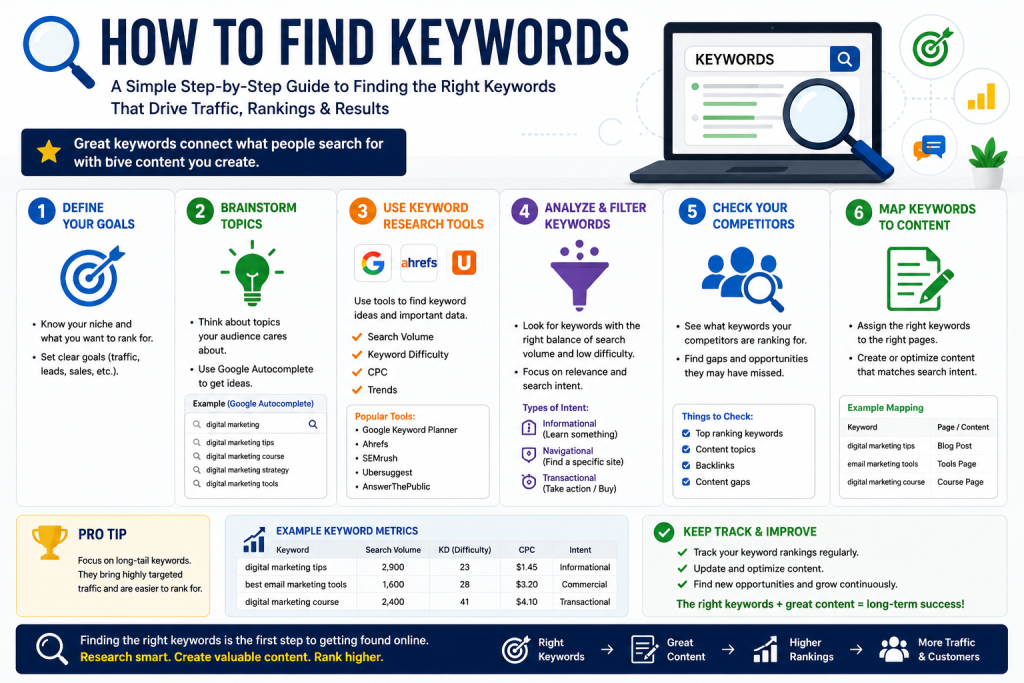
    How to find keywords using keyword research tools, search intent, competitor analysis, and keyword mapping

    How to Find Keywords

    There are several ways to discover keywords for your website.

    1. Start With Your Main Topic

    Begin with a broad topic related to your business, website, or industry.

    For example, a tree service company might start with:

    Tree removal

    From there, you can discover related searches such as:

    • tree removal cost
    • emergency tree removal
    • tree removal near me
    • tree removal services
    • how much does tree removal cost

    These related terms provide ideas for website pages and blog articles.

    2. Use Keyword Research Tools

    Keyword research tools can provide information about search volume, competition, related keywords, and other useful metrics.

    Popular tools include Google Keyword Planner, Semrush, Ahrefs, and other SEO platforms.

    Don’t rely on a single metric when choosing keywords. A keyword with lower search volume can sometimes be more valuable than a high-volume keyword if it has strong commercial intent and matches your business.

    Understand Search Intent

    Search intent describes the reason behind a search.

    There are four common types of search intent:

    Informational: The user wants information.

    Example: “How does SEO work?”

    Navigational: The user wants to find a specific website or page.

    Example: “Google Search Console.”

    Commercial: The user is researching products or services before making a decision.

    Example: “best CRM for small business.”

    Transactional: The user is ready to take action.

    Example: “buy running shoes online.”

    Understanding intent helps you create content that actually satisfies what searchers need.

    Focus on Long-Tail Keywords

    Long-tail keywords are longer and more specific search phrases.

    For example:

    Short keyword:
    “plumber”

    Long-tail keyword:
    “emergency plumber in Austin TX”

    Long-tail keywords often have less competition and can provide highly relevant traffic because they describe a more specific need.

    For U.S. businesses, combining services with locations can be particularly useful when the business serves a defined geographic market.

    Check Keyword Competition

    Before targeting a keyword, consider how difficult it may be to compete.

    Search the keyword on Google and examine the results. Look at the quality and authority of the websites ranking on the first page.

    If the results are dominated by major national brands and highly authoritative websites, a new website may have difficulty ranking quickly.

    In that situation, consider targeting a more specific variation or a related long-tail keyword.

    Use Keywords Naturally in Your Content

    Once you select your keywords, use them naturally.

    Important places can include:

    • Page title
    • H1 heading
    • Introduction
    • Subheadings
    • URL
    • Meta description
    • Image alt text
    • Body content
    • Internal links

    However, don’t repeat keywords unnaturally. Keyword stuffing can make content difficult to read and does not create a better user experience.

    Your primary goal should be to answer the user’s question clearly and completely.

    Build Keyword Clusters

    Instead of creating a separate page for every small keyword variation, organize related keywords into topic groups.

    For example, a page about tree removal cost could naturally address:

    • average tree removal cost
    • tree size and removal price
    • emergency tree removal cost
    • tree removal factors
    • local tree removal prices

    This approach allows one comprehensive page to address multiple closely related searches.

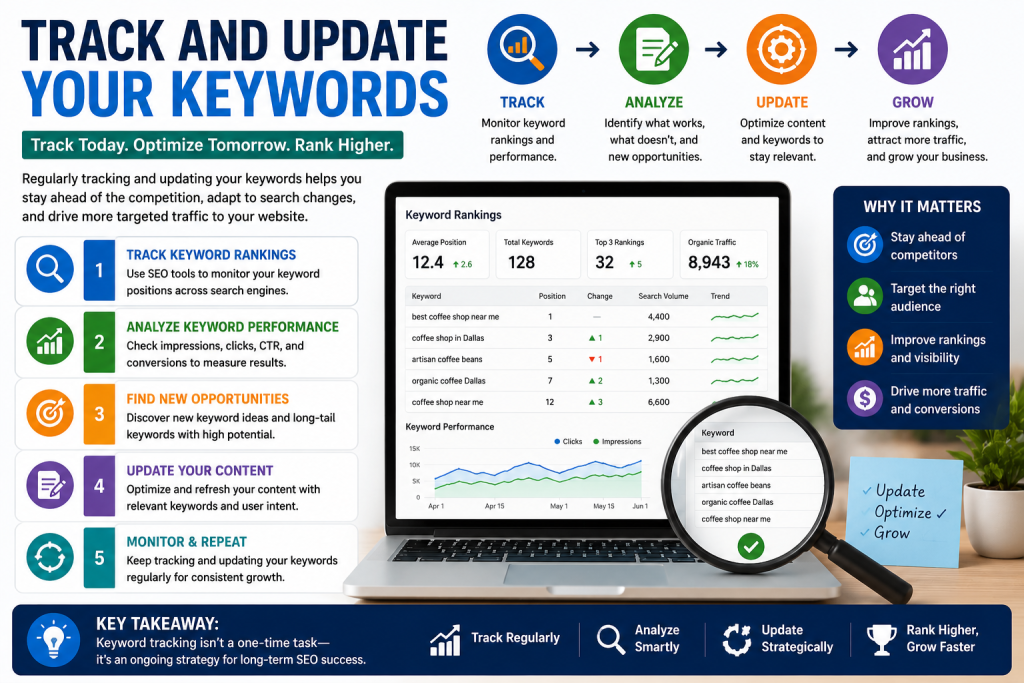
    Track and update SEO keywords using keyword rankings, performance analysis, content optimization, and search data

    Track and Update Your Keywords

    Keyword research shouldn’t happen only once.

    Monitor your website’s search performance and identify pages that are gaining impressions or rankings. You can then improve those pages with better information, clearer explanations, updated statistics, additional relevant topics, and stronger internal links.

    SEO changes over time, so regularly reviewing your keyword strategy can help your website remain competitive.

    Final Thoughts

    This Keyword Research Guide shows that effective keyword research is about more than finding popular search terms. It’s about understanding your audience, identifying search intent, evaluating competition, and creating content that genuinely answers people’s questions.

    For U.S. website owners and businesses in 2026, start with relevant topics, explore specific long-tail keywords, understand what searchers want, and organize related terms into useful content.

    When keyword research and high-quality content work together, your website has a stronger foundation for attracting relevant organic search traffic.

  • SEO for Beginners: Complete Guide to SEO in 2026

    SEO for Beginners: Complete Guide to SEO in 2026

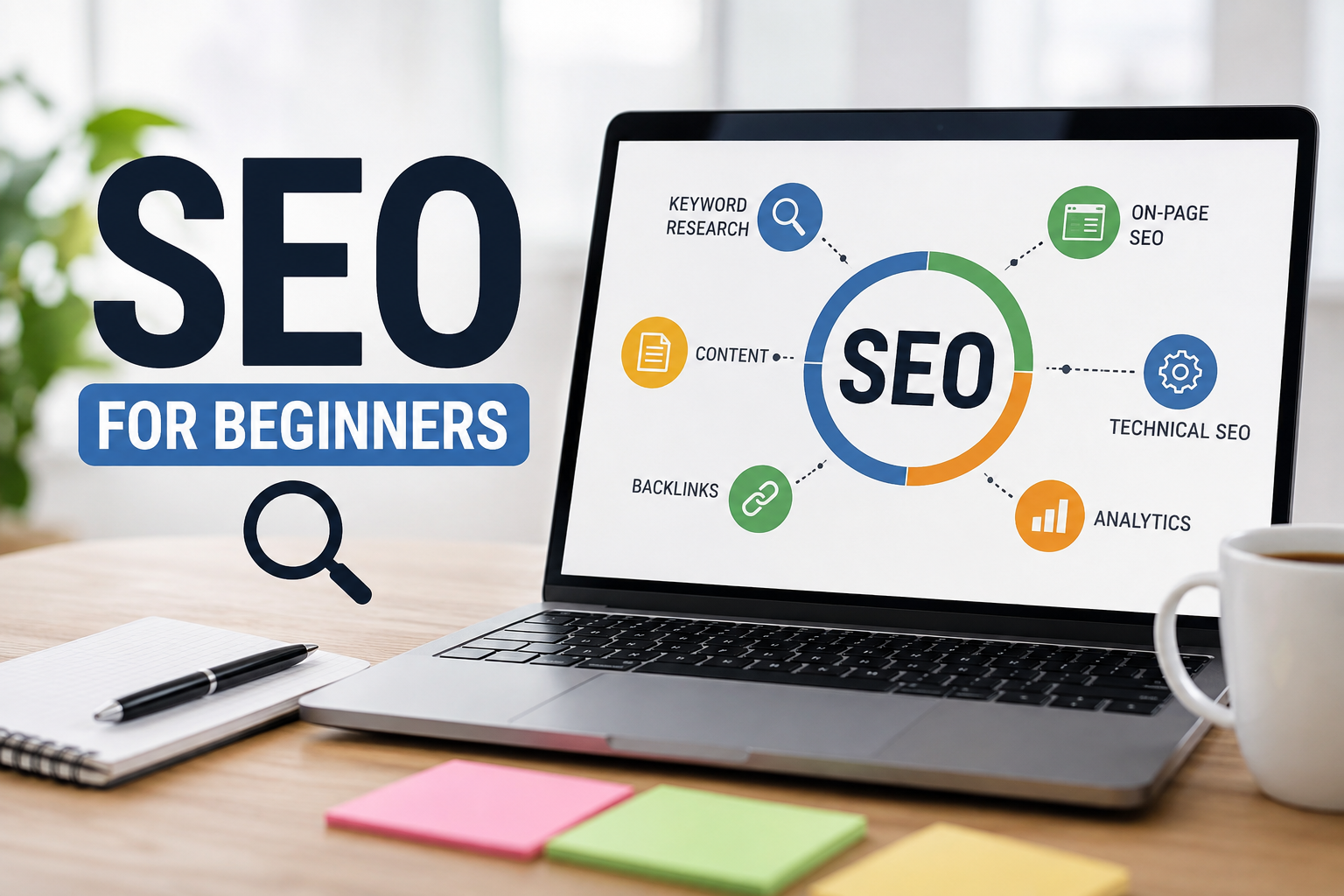
    SEO for Beginners: Simple Guide to Search Engine Optimization 2026

    If you are new to digital marketing, you have probably heard the term SEO, but you may not know where to start. SEO, or Search Engine Optimization, helps websites appear higher in search engine results when people search for information, products, or services.

    This SEO for Beginners guide explains the basics in simple language and shows U.S. website owners, bloggers, entrepreneurs, and small businesses how SEO can help increase organic traffic and online visibility in 2026.

    What Is SEO?

    SEO is the process of improving a website so search engines can better understand, index, and rank its content.

    For example, if you own a local plumbing business in Texas and someone searches for “plumber near me,” effective SEO can help your website appear in relevant search results.

    Unlike paid advertising, organic SEO traffic does not require you to pay for every click. However, SEO requires consistent effort, useful content, technical improvements, and patience.

    Why Is SEO Important in 2026?

    SEO for Beginners Search engines have become an essential way for people to find businesses, products, services, and answers online. For U.S. businesses, appearing prominently in search results can help attract potential customers who are already looking for what they offer.

    SEO can help you:

    • Increase organic website traffic
    • Improve online visibility
    • Reach potential customers
    • Build brand credibility
    • Generate leads
    • Increase online sales
    • Compete with larger businesses

    A strong SEO strategy focuses on helping users first SEO for Beginners rather than simply trying to manipulate search rankings.

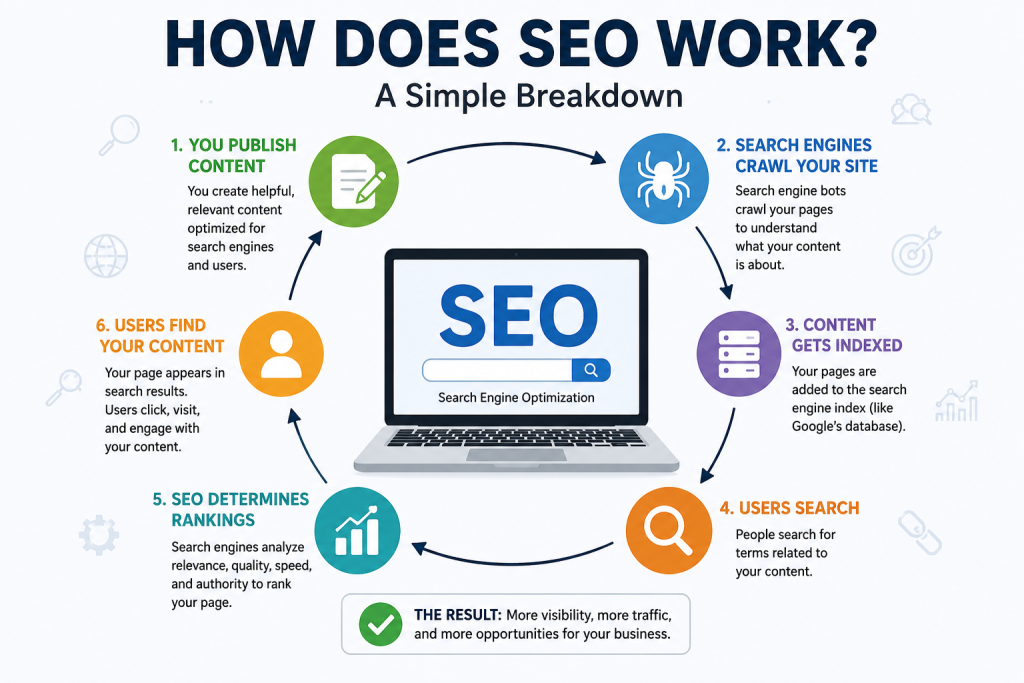
    An infographic explaining how SEO works, including content creation, crawling, indexing, search queries, rankings, and how users discover content through search engines.

    How Does SEO Work?

    Search engines use automated systems to discover, crawl, understand, and rank webpages.

    Although search algorithms are complex, beginners can focus on three major areas:

    1. On-Page SEO

    On-page SEO involves optimizing elements directly on your website.

    Important elements include:

    • SEO-friendly page titles
    • Clear headings
    • Helpful content
    • Relevant keywords
    • Descriptive URLs
    • Internal links
    • Image alt text
    • Easy-to-read formatting

    Your content should naturally answer the questions your target audience is searching for.

    2. Technical SEO

    Technical SEO focuses on making your website easier for search engines and visitors to use.

    Important technical factors include:

    • Mobile-friendly design
    • Fast page loading
    • Secure HTTPS
    • Proper website structure
    • Crawlable pages
    • Search engine indexing
    • Clean URLs
    • XML sitemaps

    You do not need to be a developer to understand basic technical SEO. Many website platforms and SEO tools can help identify common technical problems.

    3. Off-Page SEO

    Off-page SEO refers to activities that happen outside your website.

    One important example is earning backlinks from reputable and relevant websites. A backlink is a link from another website to yours.

    For local U.S. businesses, other useful signals can include consistent business information, reputable local listings, reviews, and mentions across relevant websites.

    Keyword Research for Beginners

    Keyword research is one of the most important parts of SEO for Beginners.

    A keyword is a word or phrase people type into a search engine.

    For example, someone searching for a local tree service might use keywords such as:

    • “tree removal service”
    • “tree trimming near me”
    • “emergency tree removal”
    • “tree removal cost”
    • “best tree service in Dallas”

    Instead of choosing keywords simply because they have high search volume, consider search intent. Ask yourself what the person actually wants to accomplish with the search.

    How to Create SEO-Friendly Content

    Great SEO content should be useful, original, accurate, and easy to understand.

    Start by choosing a specific topic and identifying the questions your audience wants answered. Use your primary keyword naturally in the title, introduction, headings, and relevant sections without overusing it.

    For example, if your focus keyword is SEO for Beginners, your article should genuinely teach beginners how SEO works rather than repeating the keyword unnecessarily.

    Use short paragraphs, descriptive headings, bullet points, examples, and clear explanations to improve readability.

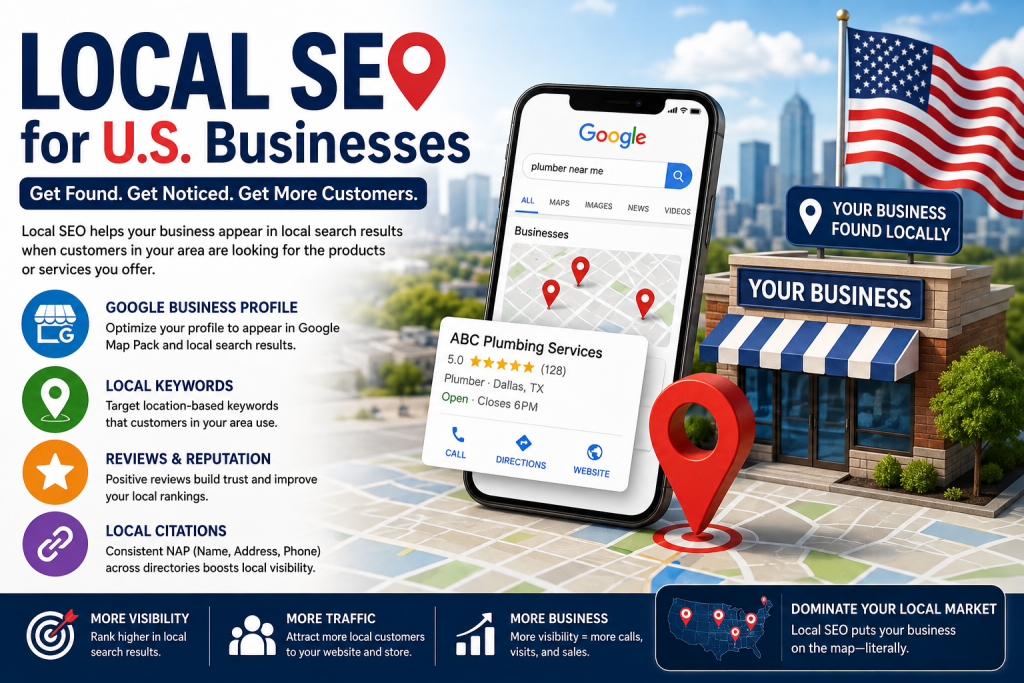
    A professional infographic showing how local SEO helps U.S. businesses improve Google visibility through local keywords, Google Business Profile, customer reviews, citations, and local search rankings.

    Local SEO for U.S. Businesses

    If you operate a business that serves a specific U.S. location, local SEO can be especially valuable.

    Optimize your website for relevant location-based searches, create and maintain your Google Business Profile, collect genuine customer reviews, and keep your business information accurate across important online directories.

    For example, a dentist in Chicago should create useful content around services and searches relevant to Chicago customers rather than trying to rank for every dental keyword nationwide.

    Common SEO Mistakes Beginners Should Avoid

    New website owners often make several SEO mistakes.

    Avoid:

    • Keyword stuffing
    • Copying content from other websites
    • Publishing very thin content
    • Buying low-quality backlinks
    • Ignoring mobile users
    • Using misleading titles
    • Creating content only for search engines
    • Expecting immediate results

    SEO is a long-term strategy. Results can take time, especially for a new website or competitive industry.

    Final Thoughts

    Learning SEO for Beginners does not have to be complicated. Start with the fundamentals: understand your audience, research relevant keywords, publish genuinely helpful content, improve your website experience, and build authority over time.

    For U.S. businesses and website owners in 2026, SEO remains an important way to build sustainable organic visibility. The best approach is to create content that satisfies real search intent while providing a fast, accessible, trustworthy experience for visitors.

    FAQs

    What is SEO for beginners?
    SEO for beginners is the process of learning how to optimize a website so search engines can understand its content and users can find it through organic search results.

    How long does SEO take to work?
    SEO results vary depending on competition, website authority, content quality, and technical factors. New websites may need several months of consistent optimization before seeing significant results.

    Is SEO still important in 2026?
    Yes. SEO remains useful for businesses, publishers, and website owners who want to attract relevant organic search traffic.

    What is the most important SEO factor for beginners?
    Start by creating genuinely useful content that matches search intent. Strong content combined with good technical SEO and a positive user experience provides a solid foundation