Blog

  • Best Website Builders in 2026: A Complete Guide for U.S. Users

    Best Website Builders in 2026: A Complete Guide for U.S. Users

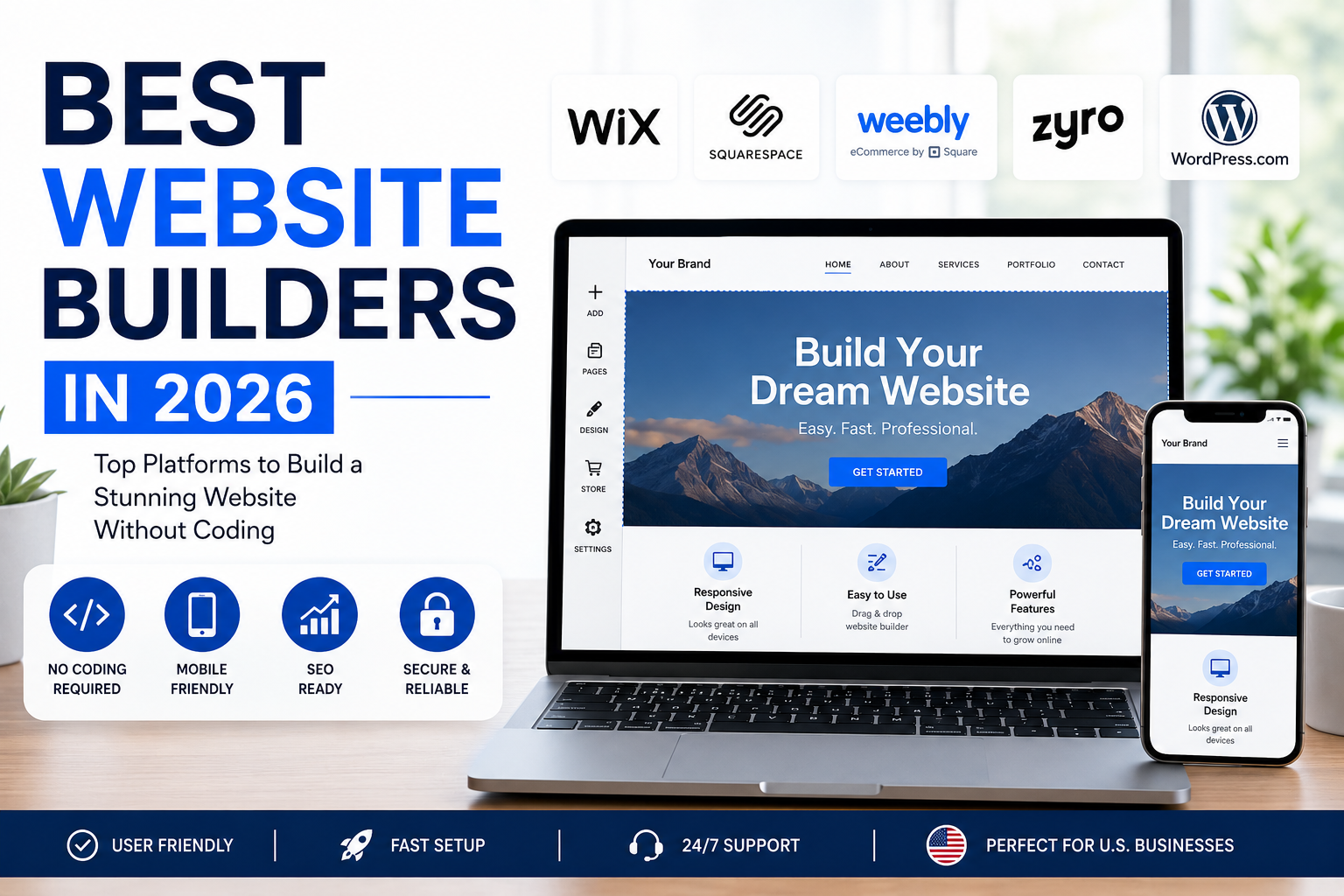
    Best Website Builders in 2026:

    Creating a professional website is easier than ever in 2026. Whether you run a small business, online store, personal brand, or freelance service, the right website builder can help you establish a strong online presence without advanced coding skills. With many platforms available, choosing the Best Website Builders can feel overwhelming.

    What Is a Website Builder?

    A website builder is a platform that lets you create and manage a website using templates, visual editors, hosting, and built-in tools. Many modern platforms use drag-and-drop editors, allowing users to build professional pages without writing code.

    For U.S. users, a good website builder should provide mobile-friendly design, reliable hosting, SEO tools, fast performance, secure connections, and useful business integrations.
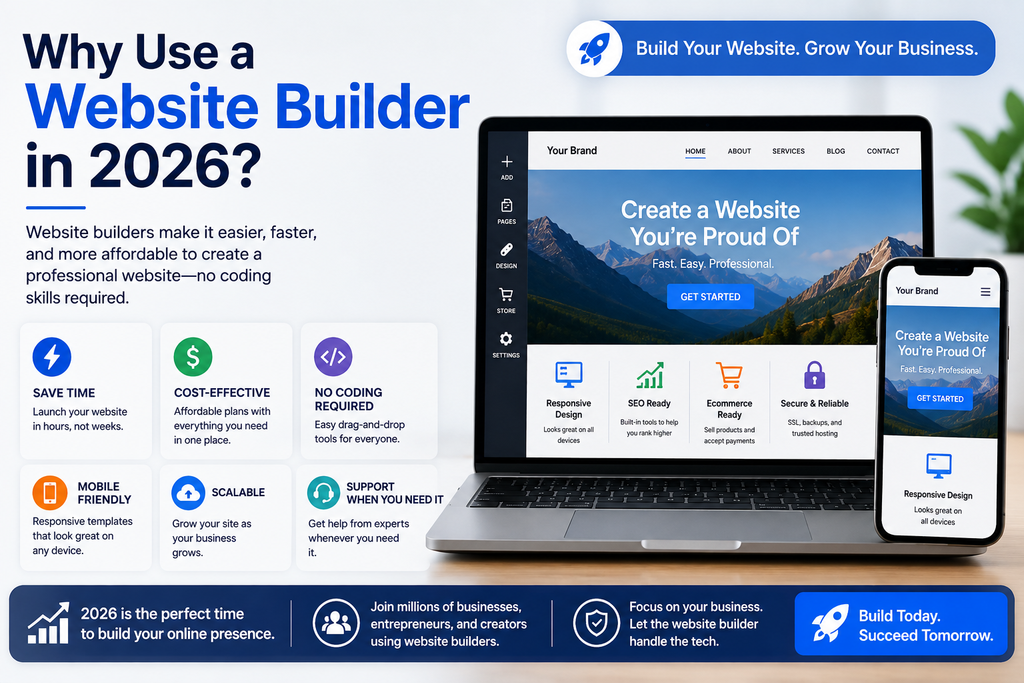
    Why use a website builder in 2026 for faster, affordable, mobile-friendly, and professional website creation

    Why Use a Website Builder in 2026?

    Traditional website development can require developers, designers, hosting services, and ongoing maintenance. Website builders simplify this process by combining essential tools in one platform.

    For startups and small businesses in the United States, this can reduce upfront costs and help launch a website faster. The Best Website Builders also offer templates for industries such as restaurants, real estate, consulting, retail, professional services, and ecommerce.

    Key Features to Look For

    1. Easy-to-Use Editor

    A simple visual editor allows you to create and update pages without technical expertise. Drag-and-drop functionality is especially useful for business owners managing their own websites.

    2. Mobile-Friendly Design

    Many visitors browse websites on smartphones. Choose a platform that creates responsive pages that work properly on phones, tablets, and desktops.

    3. SEO Features

    SEO tools can help your website appear in search results. Look for customizable page titles, meta descriptions, URLs, image alt text, sitemaps, and analytics integrations. The Best Website Builders should make basic SEO accessible to beginners.

    4. Ecommerce Capabilities

    If you plan to sell products or services online, check for product pages, shopping carts, secure payments, inventory management, discounts, and order tracking.

    5. Hosting and Security

    Your website needs dependable hosting and HTTPS security. A quality platform should help protect your website and keep it available to visitors.

    Best Website Builders for Different Needs

    Different users need different features. A local U.S. service business may prioritize lead forms, local SEO, appointment tools, and maps. An online store may need advanced ecommerce features, while a freelancer may prefer attractive portfolio templates.

    When comparing platforms, consider your goals instead of choosing solely based on popularity. The Best Website Builders are those that provide the tools you actually need at a price your budget can support.

    Website Builders for Small Businesses

    Small businesses often need websites that look professional while remaining easy to maintain. Important features include contact forms, service pages, testimonials, business information, social media integrations, and SEO controls.

    A local business should clearly display its address, phone number, operating hours, and service areas. Fast loading speeds and mobile compatibility can also improve the visitor experience.

    Website Builders for Ecommerce

    Online retailers need more than attractive pages. They need secure checkout, product management, payment processing, shipping options, and customer support tools.

    Before selecting a platform, calculate transaction costs, monthly subscription fees, and additional feature costs. The Best Website Builders for ecommerce should balance functionality, scalability, and overall cost.

    How Much Does a Website Builder Cost?

    Pricing varies significantly. Some platforms offer free plans with limitations, while paid plans may include custom domains, additional storage, advanced features, or ecommerce capabilities.

    For U.S. businesses, compare the total annual cost rather than only the advertised monthly price. Check whether domain registration, professional email, payment processing, premium templates, or integrations cost extra.

    How to Choose the Right Platform

    Start by defining your website’s purpose. Decide whether you need an informational site, portfolio, blog, lead-generation website, or online store.

    Next, compare templates, editing tools, SEO functionality, mobile responsiveness, security, customer support, integrations, and pricing. Testing a free trial before making a long-term commitment can also help.

    The Best Website Builders should make it easy to launch your site today while giving you room to expand later.
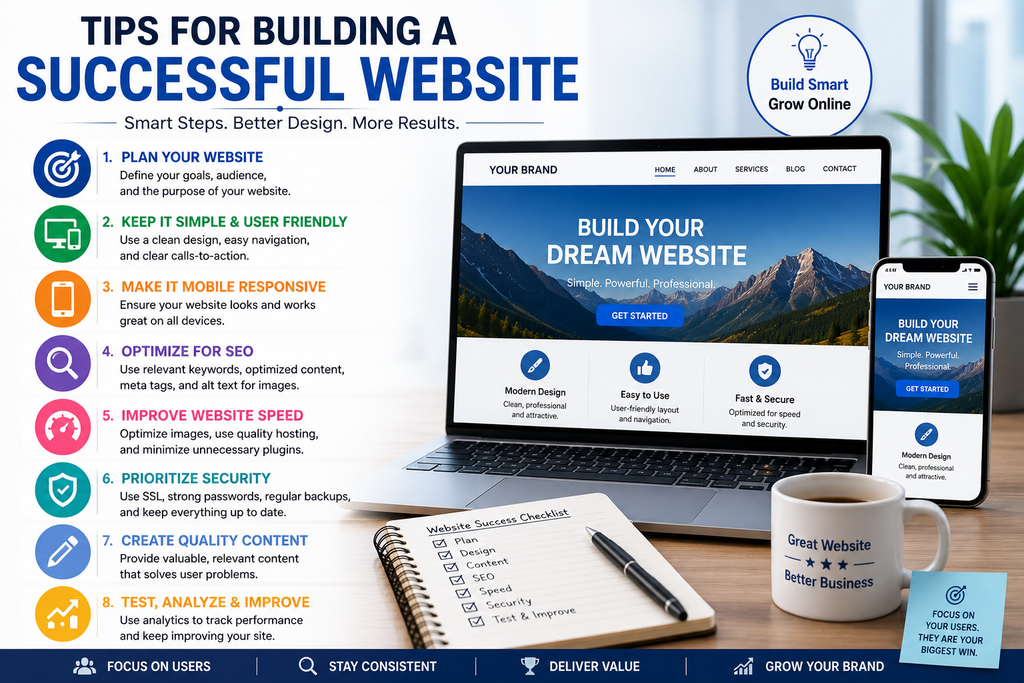
    Tips for building a successful website with responsive design, SEO, fast loading speed, security, quality content, and user-friendly navigation

    Tips for Building a Successful Website

    Keep navigation simple and organize content around what visitors need. Use clear headlines, concise paragraphs, high-quality images, and strong calls to action.

    Make sure important pages work properly on mobile devices. Add relevant keywords naturally, optimize images, create useful content, and connect your website to analytics and search tools.

    Most importantly, update your website regularly. Fresh information, accurate business details, working links, and useful content can create a better experience for visitors.

    Final Thoughts

    Choosing a website platform is an important decision for any U.S. business or individual building an online presence in 2026. The right platform can save time, simplify maintenance, and provide the features needed to attract and serve customers.

    Instead of looking for one platform that works for everyone, compare your goals, budget, technical experience, and growth plans. The Best Website Builders offer a practical combination of design flexibility, SEO tools, security, performance, and ease of use.

    With the right choice and a clear content strategy, you can create a professional website that supports your brand and helps you reach more customers online. For U.S. users, the Best Website Builders are ultimately the platforms that combine simplicity, reliability, useful features, and room for future growth.
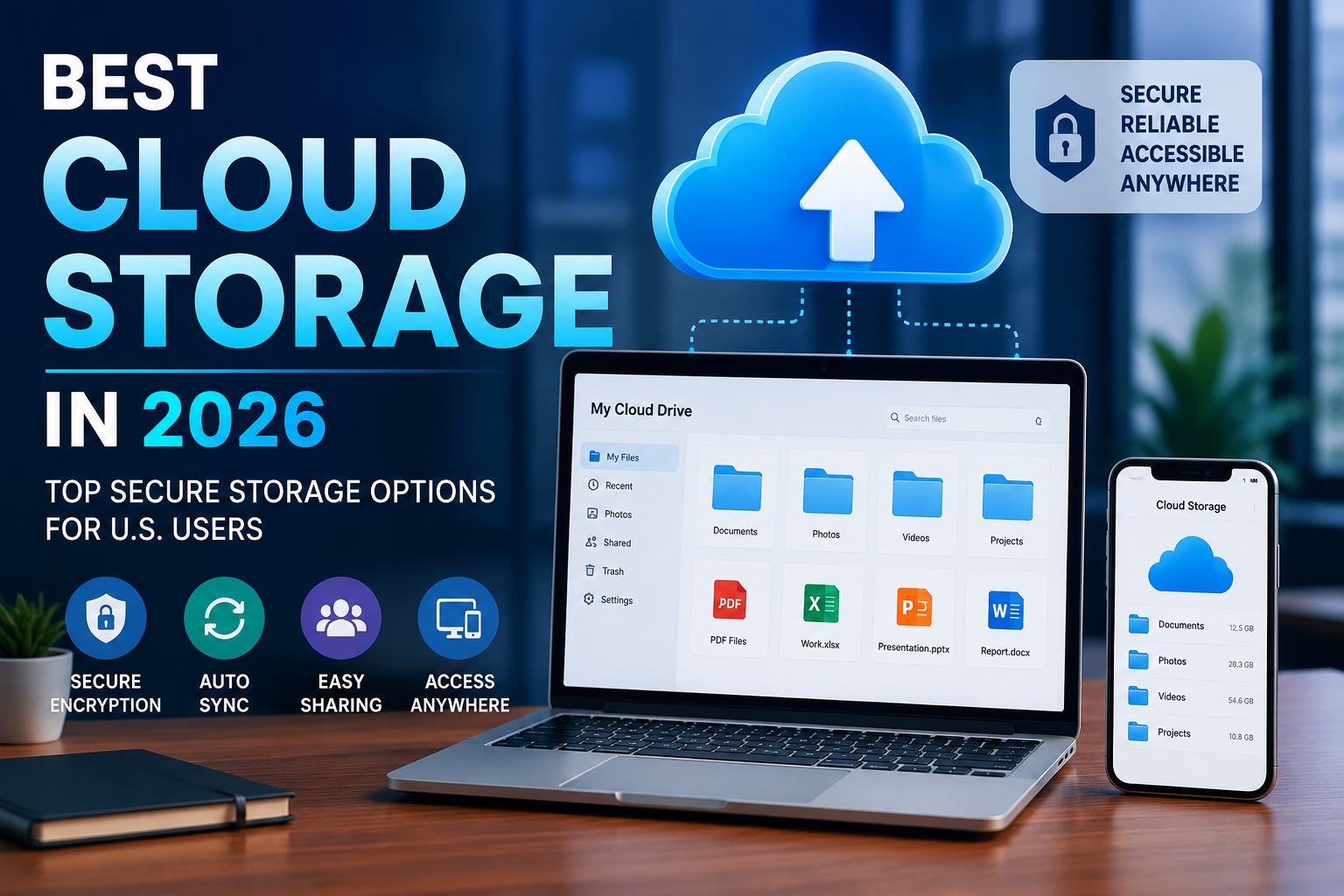
  • Best Cloud Storage in 2026: Top Options for Secure Online File Storage

    Best Cloud Storage in 2026: Top Options for Secure Online File Storage

    Best Cloud Storage in 2026:

    Cloud storage has become an essential tool for individuals, students, professionals, and businesses across the United States. Instead of keeping important documents, photos, videos, and work files only on a computer or external hard drive, users can store them securely online and access them from almost anywhere. But with so many providers available, choosing the Best Cloud Storage can be challenging.

    The right service should offer enough storage, strong security, reliable syncing, easy file sharing, and reasonable pricing. In this guide, we explore what to look for when choosing the Best Cloud Storage in 2026 and how to select an option that fits your needs.

    What Is Cloud Storage?

    Cloud storage is an online service that allows you to save digital files on remote servers instead of storing everything directly on your device. Your files can then be accessed through a computer, smartphone, tablet, or web browser.

    For U.S. users, cloud storage is particularly useful for backing up family photos, business documents, school projects, financial records, and other important information. Many services also provide automatic synchronization, meaning changes made on one device can appear on your other connected devices.

    What Makes the Best Cloud Storage?

    When comparing cloud storage providers, consider several important features. Storage capacity is one of the first things to check because free plans may offer limited space while paid plans can provide hundreds of gigabytes or several terabytes.

    Security is equally important. Look for encryption, two-factor authentication, secure account recovery, and other privacy protections. A reliable provider should also have a strong reputation for keeping customer data available and protected.

    Ease of use matters too. The Best Cloud Storage should make uploading, downloading, organizing, and sharing files simple, even for people who are not technically experienced.

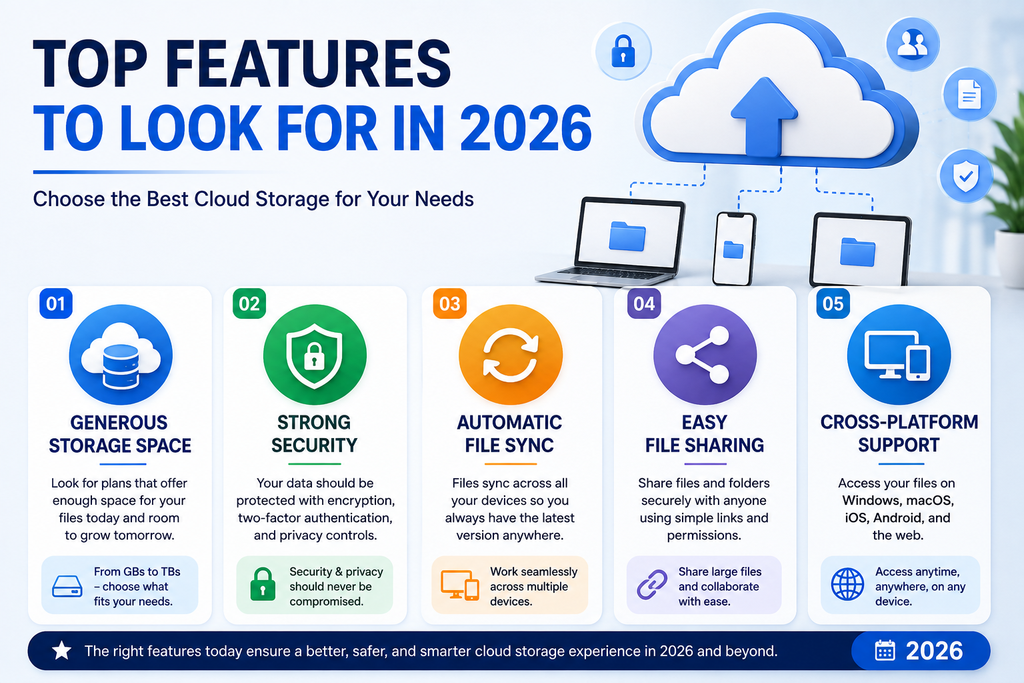
    Top Features to Look For in 2026

    1. Generous Storage Space

    Your storage needs depend on what you plan to save. Documents require relatively little space, while high-resolution photos and 4K videos can consume storage quickly.

    If you are choosing a service for a small business, look for plans that allow storage to grow as your company creates more files.

    2. Strong Security

    Security should never be overlooked. Choose a provider that uses modern encryption and supports two-factor authentication.

    For businesses, additional security controls, user permissions, and administrative tools can help protect sensitive company information.

    3. Automatic File Sync

    Automatic synchronization can save time. When files are synchronized across devices, you can work on a document from your laptop and access the updated version from another device.

    This makes cloud storage especially convenient for remote workers and distributed U.S. teams.

    4. Easy File Sharing

    A good service should allow you to share individual files or folders without complicated procedures. Link-based sharing can be useful when sending large files that may be too big for standard email attachments.

    5. Cross-Platform Support

    Before choosing the Best Cloud Storage, make sure the service works with your devices. Windows and macOS users should look for reliable desktop applications, while Android and iPhone users should check the quality of the mobile apps.

    Cloud Storage for Personal Users

    For individuals, the ideal service depends on how much data they have and which devices they use. Someone who mainly stores documents may be comfortable with a smaller free plan, while photographers and video creators may need significantly more space.

    Families should also consider whether a provider offers shared storage plans. A family plan can be more convenient than purchasing separate subscriptions for every person.

    Cloud Storage for Small Businesses

    Businesses have different requirements. They may need shared folders, team collaboration, access controls, file recovery, and administrative features.

    The Best Cloud Storage for a small U.S. business should balance security, performance, collaboration, and cost. Companies should also review their industry requirements before storing sensitive customer or financial information online.

    Free vs. Paid Cloud Storage

    Free cloud storage is useful for users who only need a small amount of space. It allows you to test a service before paying for additional capacity.

    Paid plans generally provide more storage and may include advanced sharing, collaboration, backup, and security features. If you regularly work with large files, a paid plan can offer much better value.

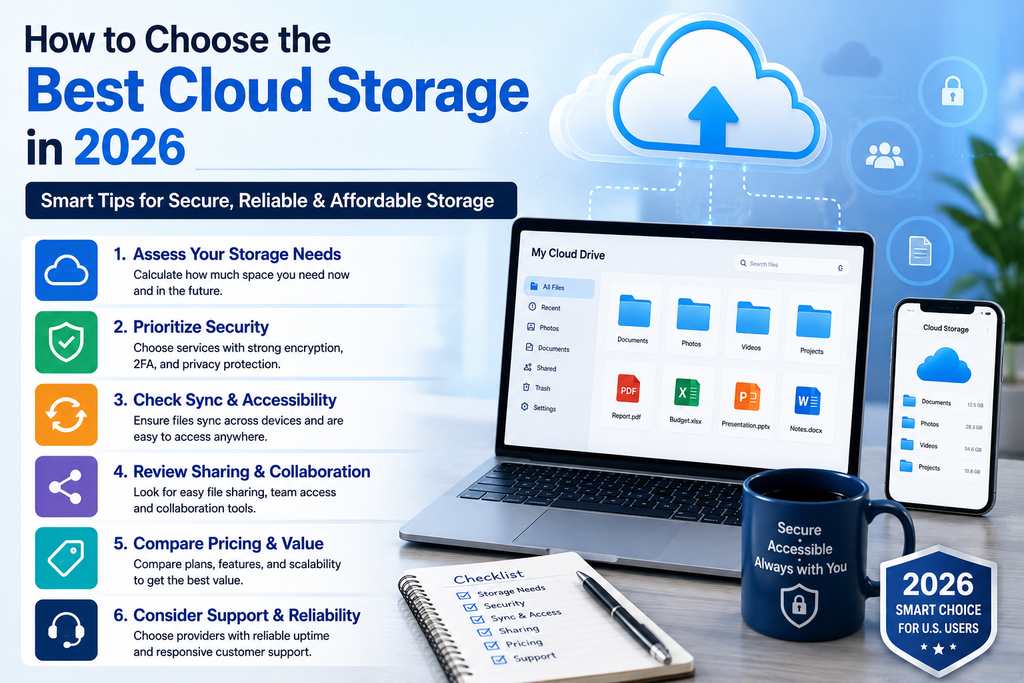
    How to choose the best cloud storage in 2026 for secure and reliable online file storage

    How to Choose the Best Cloud Storage in 2026

    Start by calculating how much storage you currently need and how quickly your files are growing. Next, compare pricing, security, compatibility, sharing options, and backup features.

    You should also check whether the provider makes it easy to download your files if you decide to switch services later. Avoid selecting a service based only on price. Reliability and security are just as important.

    For most users, the Best Cloud Storage is not necessarily the service with the largest storage plan. It is the provider that offers the right combination of storage, security, usability, compatibility, and value.

    Final Thoughts

    Cloud storage provides a convenient way to protect and access important digital files without depending entirely on a local computer or external drive. Whether you are a U.S. student, remote worker, family, photographer, or small-business owner, choosing the right service can make managing your digital files much easier.

    When comparing the Best Cloud Storage options in 2026, focus on security, storage capacity, synchronization, sharing, device compatibility, and pricing. Taking a few minutes to compare these features can help you choose a dependable solution that meets your needs today and continues to work as your storage requirements grow.

    The Best Cloud Storage ultimately depends on your personal or business requirements, so prioritize the features you will actually use rather than paying for unnecessary extras.

  • Best Antivirus Software: Top Security Options for 2026

    Best Antivirus Software: Top Security Options for 2026

    Best Antivirus Software:

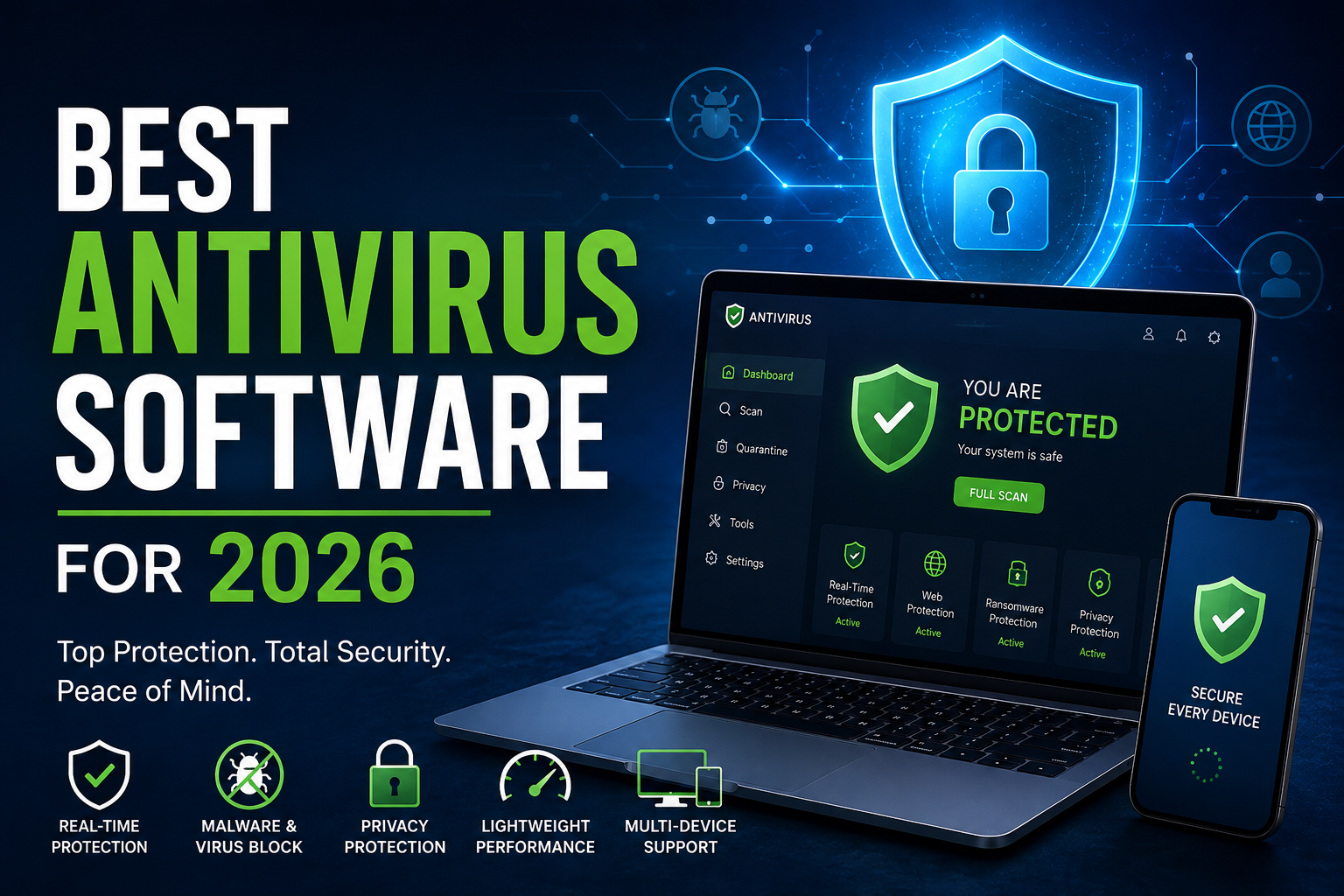
    Choosing reliable antivirus protection is essential in 2026 as cyber threats continue to target computers, smartphones, businesses, and personal data. The Best Antivirus Software can help protect your devices from malware, ransomware, phishing attempts, spyware, and other online threats. For US users, selecting security software that offers strong protection without slowing down everyday activities is especially important.

    Why Antivirus Software Matters in 2026

    Cybercriminals constantly develop new techniques to steal passwords, financial information, and personal data. A good antivirus program provides an additional security layer by monitoring files, downloads, websites, and applications for suspicious activity.

    The Best Antivirus Software should combine real-time threat detection with useful privacy and security features. While modern operating systems include built-in security tools, dedicated antivirus programs can offer additional protection and advanced controls.

    Top cloud storage features to look for in 2026 including security, file syncing, sharing, storage space, and cross-platform access

    Key Features to Look For

    When comparing the Best Antivirus Software, consider these important features:

    • Real-time malware protection
    • Ransomware detection and prevention
    • Phishing and malicious website protection
    • Automatic security updates
    • Secure browsing tools
    • Email and download scanning
    • Low system performance impact
    • Privacy and identity protection
    • Multi-device support
    • Easy-to-use security controls

    These features can make it easier for beginners and experienced users to maintain better digital security.

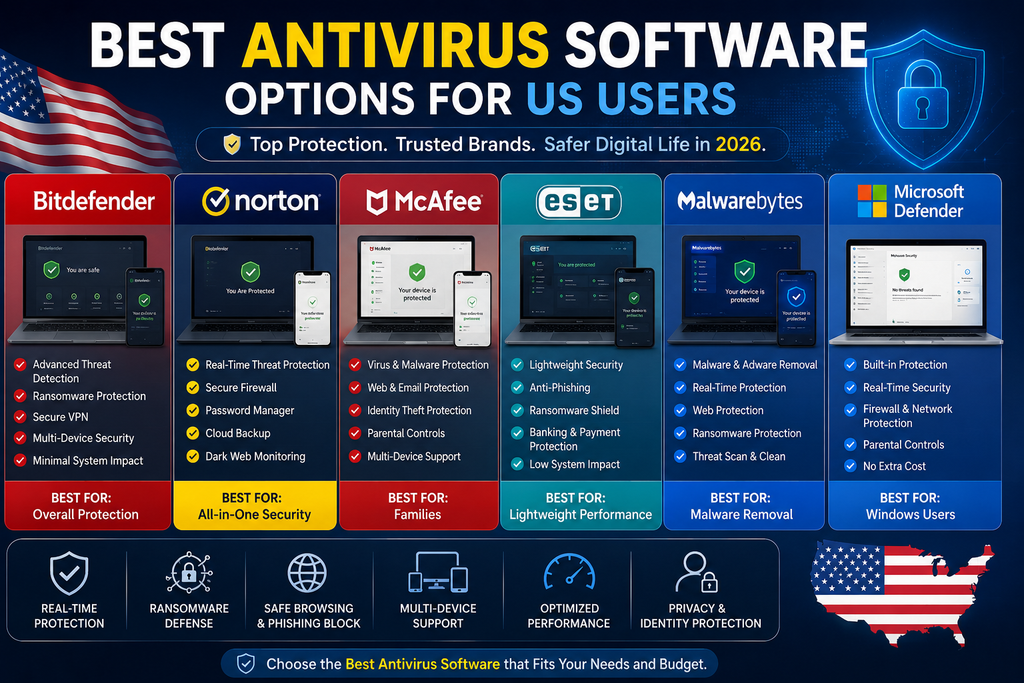
    Best antivirus software options for US users in 2026 with malware and online security protection

    Best Antivirus Software Options for US Users

    The Best Antivirus Software depends on your device, budget, and security requirements. Popular options available to US consumers include Bitdefender, Norton, McAfee, ESET, Malwarebytes, and Microsoft Defender.

    Bitdefender is widely recognized for combining malware protection with additional security features. Norton offers a broad security ecosystem that can include antivirus, identity protection, and online security tools. McAfee is another familiar choice for households that want protection across multiple devices.

    ESET is often considered by users who prefer a lightweight security solution, while Malwarebytes is popular for malware-focused protection and threat removal. Microsoft Defender is built into Windows and provides a convenient baseline level of protection without requiring a separate installation.

    Free vs. Paid Antivirus Software

    For users on a budget, free antivirus protection can be useful. However, paid plans often provide additional features such as ransomware protection, identity monitoring, VPN access, parental controls, password-management features, or coverage for multiple devices.

    The Best Antivirus Software for your needs is not necessarily the most expensive option. Instead, compare the features you actually need and choose a plan that provides strong protection at a reasonable price.

    How to Choose the Right Antivirus

    Before selecting antivirus software, think about how you use your devices. Someone who primarily browses websites and checks email may have different requirements than a remote worker who regularly handles sensitive business documents.

    The Best Antivirus Software should also be compatible with your operating system and devices. Check whether the software supports Windows, macOS, Android, or iOS before purchasing a subscription.

    Also consider the software’s interface. A security product should make important alerts easy to understand instead of overwhelming users with complicated technical information.

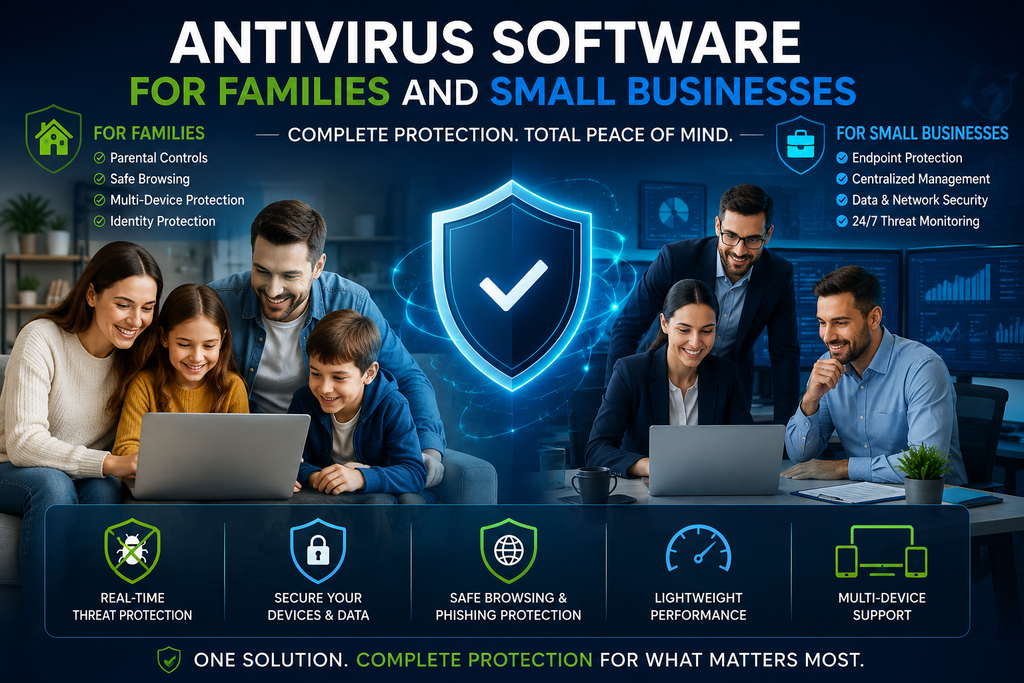
    Antivirus software for families and small businesses with multi-device and threat protection

    Antivirus Software for Families and Small Businesses

    Families often need protection for multiple computers and smartphones. A multi-device security plan can make managing household security easier while helping protect children from malicious websites and online scams.

    For small businesses, the Best Antivirus Software should provide stronger endpoint protection, centralized management, automatic updates, and security monitoring where available. Businesses should also combine antivirus protection with strong passwords, multi-factor authentication, regular backups, and employee security training.

    Tips for Better Online Security

    Installing antivirus software is only one part of staying safe online. Follow these basic security practices:

    1. Keep your operating system and applications updated.
    2. Use unique, strong passwords for important accounts.
    3. Enable multi-factor authentication whenever possible.
    4. Avoid clicking suspicious email links or attachments.
    5. Download applications only from trusted sources.
    6. Back up important files regularly.
    7. Review security alerts instead of ignoring them.

    These habits can significantly improve your overall cybersecurity.

    Final Verdict

    The Best Antivirus Software should provide dependable protection, useful features, good performance, and an interface that fits your experience level. Whether you choose a free security solution or a premium package, keeping your devices updated and practicing safe browsing habits remains essential.

    For US users in 2026, comparing protection features, device compatibility, pricing, privacy tools, and overall usability can help you find the right security solution. Ultimately, the Best Antivirus Software is the one that matches your personal or business security needs while providing reliable protection against today’s evolving digital threats.

  • Best Password Managers in 2026: Top Picks for US Users

    Best Password Managers in 2026: Top Picks for US Users

    Best Password Managers:

    Choosing the right password manager is one of the simplest ways to improve digital security. The Best Password Managers help you create strong, unique passwords, store them securely, and autofill credentials across devices. For US users managing banking, shopping, work, email, and social media accounts, a reliable password manager can reduce the risks of reused or weak passwords.

    Best password managers 2026  for us users for secure password storage and digital security

    Best Password Managers for 2026

    The Best Password Managers available in 2026 offer different combinations of security, convenience, sharing, passkey support, and pricing. Recent 2026 testing from WIRED lists Bitwarden as its pick for most people, while also highlighting Proton Pass, Keeper, 1Password, Dashlane, and NordPass for different needs.

    1. Bitwarden — Best for Value and Open-Source Security

    Bitwarden is a strong choice for users who want security-focused password management at a reasonable cost. Its platform is open source, uses end-to-end and zero-knowledge encryption, and supports password generation, autofill, passkeys, and cross-platform access. It also offers a functional free plan, making it attractive to budget-conscious US users.

    2. 1Password — Best for a Polished Experience

    1Password is designed for people who want a premium, easy-to-use experience. It supports password storage, passkeys, secure sharing, two-factor authentication codes, and Watchtower security alerts. Its vault system is useful for families and professionals.

    3. Dashlane — Best for Extra Features

    Dashlane combines password management with additional security-focused features. It can generate and autofill passwords and provides tools designed to help users monitor account security.

    4. Keeper — Best for Families and Businesses

    Keeper is worth considering when several people need controlled access to shared credentials. Its business features also make it suitable for organizations that need centralized password management.

    5. NordPass — Best for Simplicity

    NordPass is a good option if you prefer a straightforward interface. It can generate, store, and autofill credentials across common devices while keeping logins organized.

    How Do Password Managers Work?

    A password manager stores login credentials inside an encrypted vault. Instead of remembering dozens of passwords, you normally remember one strong master credential or use another supported authentication method to unlock the vault.

    The manager can generate unique passwords for new accounts and autofill saved credentials. This makes it easier to avoid password reuse, which is important because a compromised password can create problems when the same credential is used on multiple websites.

    What to Look for in the Best Password Managers

    When comparing the Best Password Managers, focus on security first. Look for strong encryption, zero-knowledge architecture, reputable audits, and transparent security practices. Bitwarden says its vault data is encrypted and decrypted client-side and that its source code is publicly available for review.

    Passkey support is another useful feature in 2026. Passkeys use cryptographic credentials instead of traditional passwords and can provide a more phishing-resistant sign-in experience on supported websites and devices.

    Also check cross-platform support. A good password manager should work on Windows, macOS, Android, iPhone, and major browsers. Secure family sharing can be valuable if multiple people use the same accounts.

    For many households, Best Password Managers are also useful because they make secure password sharing easier without requiring everyone to memorize complicated credentials.

    Free vs. Paid Password Managers

    Free password managers can be enough for basic personal use, especially for storage, generation, and autofill. Paid plans may add advanced two-factor authentication, secure sharing, breach monitoring, additional storage, family accounts, or business administration.

    Before paying, compare current US pricing, renewal terms, supported devices, and features you will actually use.

    Are password managers Safe in 2026 for secure password storag

    Are Password Managers Safe?

    No security product is completely risk-free, but a reputable password manager can significantly improve password hygiene. Choose a provider with a strong security architecture, then protect your account with a strong master password and multi-factor authentication.

    Keep your software updated, avoid suspicious links, use multi-factor authentication, and never share your master password.

    Final Verdict

    For most US users, the Best Password Managers are services that combine strong security with an experience you will consistently use. Bitwarden stands out for open-source security and value, 1Password for its polished experience, Dashlane for extra features, Keeper for sharing and business use, and NordPass for simplicity.

    The best choice depends on your budget, devices, privacy expectations, and whether you need individual, family, or business features. When choosing among the Best Password Managers, compare security, passkeys, cross-device support, sharing, pricing, and recovery options before making your final decision.

    Frequently Asked Questions

    What is the best password manager in 2026?
    There is no single answer for everyone. Bitwarden, 1Password, Dashlane, Keeper, and NordPass are strong options with different advantages.

    Are free password managers worth using?
    Yes. A reputable free option can be much better than reusing passwords or storing them insecurely.

    Should I use a password manager for banking?
    A reputable password manager can help you create and store a unique password for financial accounts. Enable multi-factor authentication whenever your bank offers it.

    Are passkeys better than passwords?
    Passkeys can provide a more phishing-resistant authentication method on supported services, although availability varies by website and device.

  • Best VPN Services in 2026: Top VPNs for Privacy, Security, and Streaming

    Best VPN Services in 2026: Top VPNs for Privacy, Security, and Streaming

    Best VPN Services in 2026

    Choosing one of the best VPN services can make a major difference when it comes to protecting your online privacy, securing your internet connection, and accessing websites and services while traveling. A VPN, or Virtual Private Network, encrypts your internet traffic and routes it through a VPN server, helping reduce the amount of information that your internet provider, public Wi-Fi networks, and other third parties can see.

    With dozens of VPN providers available in 2026, finding the right service can be difficult. The best VPN depends on what you need most—privacy, speed, streaming, gaming, travel, or protection on public Wi-Fi.

    What Is a VPN and Why Do You Need One?

    A VPN creates an encrypted connection between your device and a VPN server. Instead of connecting directly to a website through your normal internet connection, your traffic is routed through the VPN.

    For US users, a VPN can be particularly useful when connecting to public Wi-Fi at airports, hotels, coffee shops, and other locations. It can also help protect sensitive browsing activity from being exposed over unsecured networks.

    However, a VPN is not a complete online-security solution. It does not automatically protect you from phishing, malware, weak passwords, or unsafe websites.

    Best VPN Services to Consider in 2026

    1. NordVPN — Best Overall VPN

    NordVPN is one of the most recognized Best VPN services and is a strong choice for users who want a combination of security, speed, privacy features, and ease of use.

    It supports multiple platforms, making it convenient for people who use Windows PCs, Macs, smartphones, tablets, and other compatible devices. Its broad server network can also help users find a nearby connection for better performance.

    Best for: Overall VPN protection, streaming, travel, and everyday browsing.

    2. ExpressVPN — Best for Simplicity

    ExpressVPN is designed for users who want a straightforward VPN experience. Its clean apps and simple setup make it suitable for beginners who don’t want to spend a lot of time configuring technical settings.

    It is also known for emphasizing privacy and connection performance.

    Best for: Beginners, travelers, and users who prioritize ease of use. Best VPN Services

    3. Surfshark — Best for Multiple Devices

    Surfshark is an attractive option for households and users with many devices. A VPN that supports multiple devices can be useful if you want protection across your laptop, smartphone, tablet, and other personal devices.

    Its feature set also makes it worth considering for users looking for a balance between functionality and affordability.

    Best for: Best VPN Services Families, multiple devices, and budget-conscious users.

    4. Proton VPN — Best for Privacy

    Proton VPN is a popular choice among privacy-focused users. It comes from the company behind Proton’s privacy-oriented services and provides features designed around secure and private internet access.

    For users who put privacy at the top of their VPN requirements, Proton VPN deserves a place on the shortlist.

    Best for: Privacy-conscious users and secure browsing.

    5. CyberGhost VPN — Best for Streaming-Friendly Features

    CyberGhost VPN offers user-friendly applications and a large server network. It is worth considering for users who want a VPN for everyday browsing, travel, privacy, and entertainment.

    Its interface is relatively approachable, making it suitable for people who are new to VPNs.

    Best for: Streaming, browsing, and beginner-friendly VPN use.

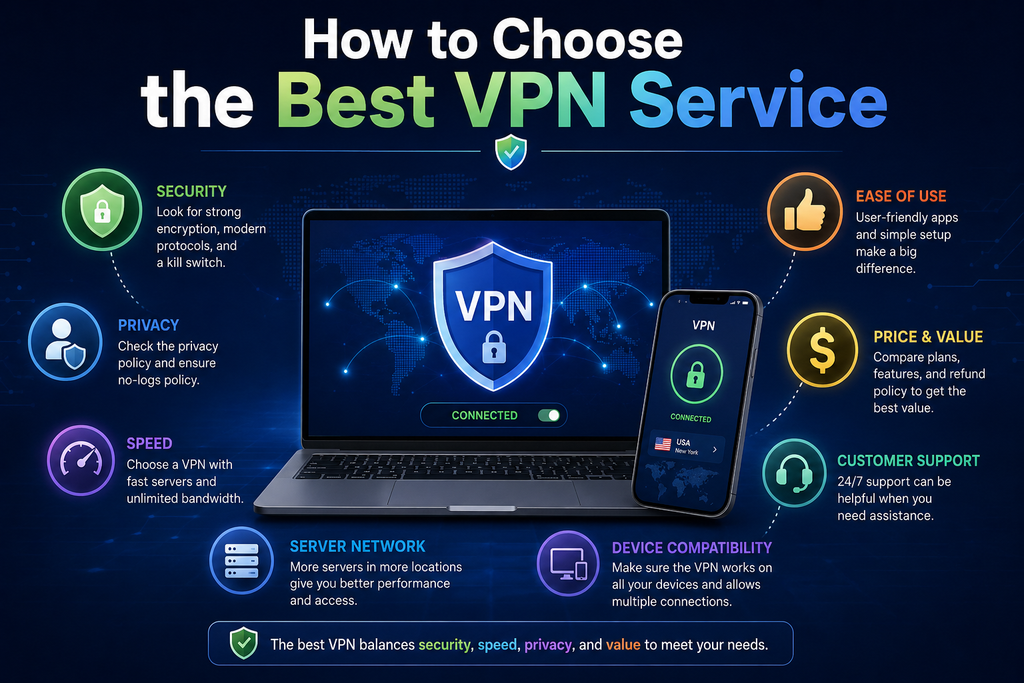
    How to choose the best VPN service based on security, privacy, speed,`

    How to Choose the Best VPN Service

    Before subscribing to a VPN, Best VPN Services consider these important factors:

    Security: Look for strong encryption, modern VPN protocols, and features such as a kill switch.

    Privacy: Check the provider’s privacy policy and understand what information it collects.

    Speed: VPNs can reduce connection speeds, so choose a provider with a strong network and servers close to your location.

    Server locations: A large and geographically diverse server network can provide more connection options.

    Device support: Make sure the VPN works with your operating systems and devices.

    Ease of use: A simple application is especially valuable if you’re new to VPN technology.

    Price: Compare monthly and long-term subscription costs, renewal pricing, and refund policies before purchasing.

    Are VPNs Legal in the United States?

    VPNs are generally legal to use in the United States. However, using a VPN does not make illegal activities legal. You are still responsible for following applicable laws and the terms of Best VPN Service of websites and online platforms you use.

    Do VPNs Make You Completely Anonymous?

    No. A VPN can improve privacy by encrypting your connection and masking your IP address from websites you visit, but it does not guarantee complete anonymity.

    Websites can still identify users through accounts, cookies, browser characteristics, tracking technologies, and other methods. For stronger privacy, combine a reputable VPN with good security practices such as unique passwords, multi-factor authentication, updated software, and careful browsing.

    Final Verdict: Which Is the Best VPN Service in 2026?

    The best VPN services in 2026 offer different advantages depending on your needs. NordVPN is a strong all-around choice, ExpressVPN is appealing for simplicity, Surfshark is useful for multiple devices, Proton VPN is a strong privacy-focused option, and CyberGhost VPN is worth considering for user-friendly entertainment and browsing features.

    For most US users, the best approach is to compare privacy, security, speed, server locations, device support, and pricing before choosing a provider. A reputable VPN can be a valuable layer of protection, especially when using public Wi-Fi or accessing the internet while traveling.

    Frequently Asked Questions

    What is the best VPN service in 2026?
    The best VPN Services depends on your priorities. NordVPN, ExpressVPN, Surfshark, Proton VPN, and CyberGhost VPN are among the services worth comparing.

    Is a VPN worth it in the USA?
    A Best VPN Services can be worthwhile for users who frequently use public Wi-Fi, travel, or want an additional layer of privacy for their internet connection.

    Does a VPN slow down internet speed?
    A Best VPN Services can reduce speeds because traffic is encrypted and routed through another server. The impact varies depending on the VPN, server distance, network conditions, and protocol.

    Can I use a VPN for streaming?
    Some VPN services support streaming use, but access to particular content can change because streaming platforms frequently update their policies and VPN detection systems.

    Should I use a free VPN?
    Free VPNs can be tempting, but users should carefully examine privacy practices, limitations, advertising policies, data restrictions, and security features before relying on one.

  • Video Editing Software: Complete Guide for Creators 2026

    Video Editing Software: Complete Guide for Creators 2026

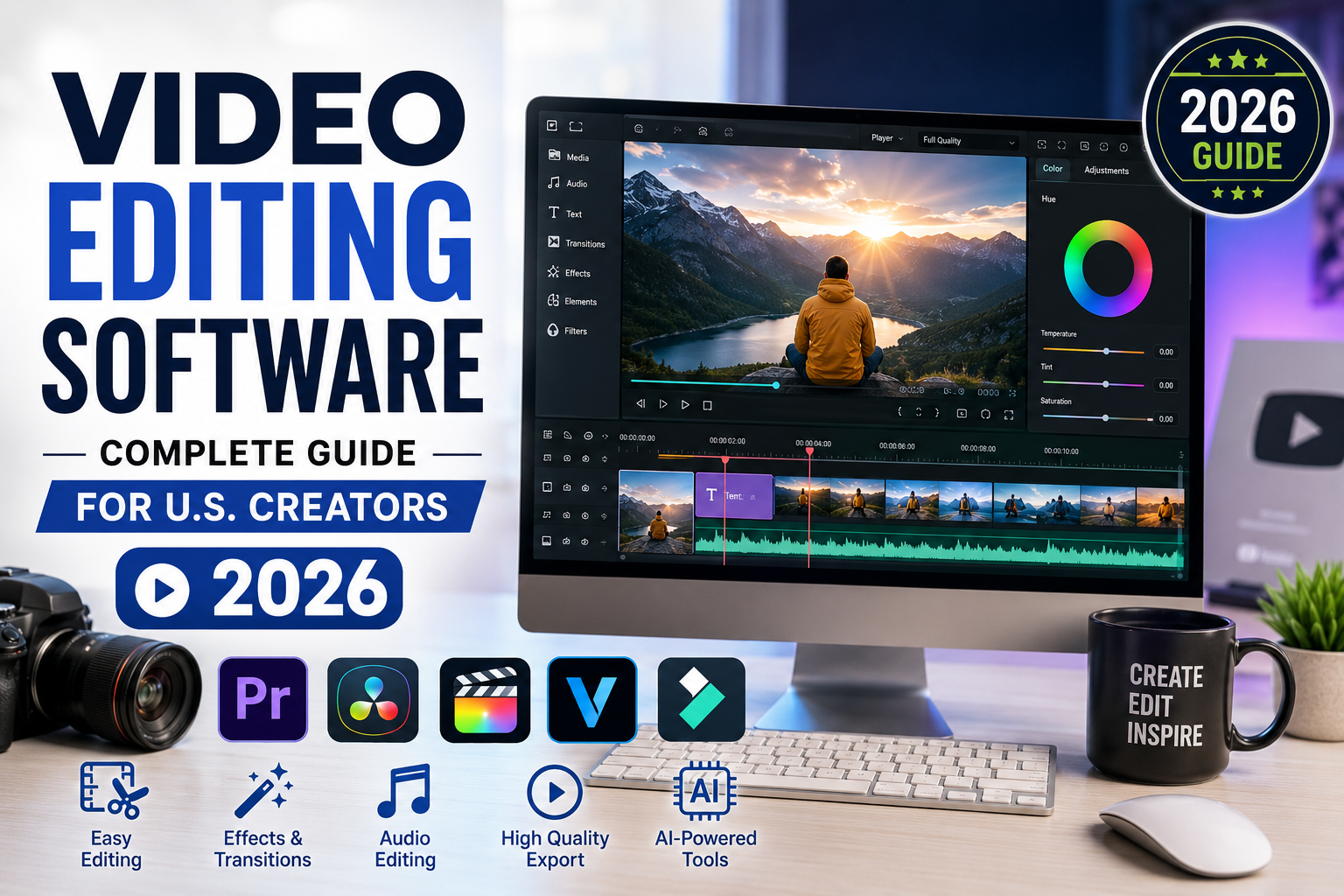
    Creating professional videos is no longer limited to Hollywood studios or experienced editors. With modern video editing software, creators, businesses, marketers, YouTubers, and social media professionals can produce high-quality videos using a computer or even a smartphone.

    In 2026, video content continues to play an important role in digital marketing, entertainment, education, and social media. Choosing the right video editing software can help U.S. creators save time, improve video quality, and create content that keeps viewers engaged.

    What Is Video Editing Software?

    Video editing software is a digital tool that allows users to edit and improve video footage. Depending on the platform, users can cut clips, add transitions, adjust colors, edit audio, insert text, use visual effects, and export videos for different platforms.

    Basic editors are designed for beginners, while professional video editing software provides advanced features for filmmakers, agencies, and experienced content creators.

    Common video editing features include:

    • Video trimming and cutting
    • Transitions and effects
    • Text and title tools
    • Audio editing
    • Color correction
    • Video filters
    • Captions and subtitles
    • Green screen effects
    • Motion graphics
    • AI-powered editing
    • 4K and high-resolution video support

    Why Is Video Editing Software Important in 2026?

    Video has become one of the most effective ways for businesses and creators to communicate online. YouTube channels, TikTok creators, Instagram users, marketers, educators, and small businesses all rely on video content.

    Professional editing can turn basic footage into an engaging final product. Good video editing software makes it easier to remove unwanted sections, improve sound, add branding, and create a consistent visual style.

    For U.S. businesses, professionally edited videos can also support advertising campaigns, product demonstrations, training materials, customer education, and social media marketing.

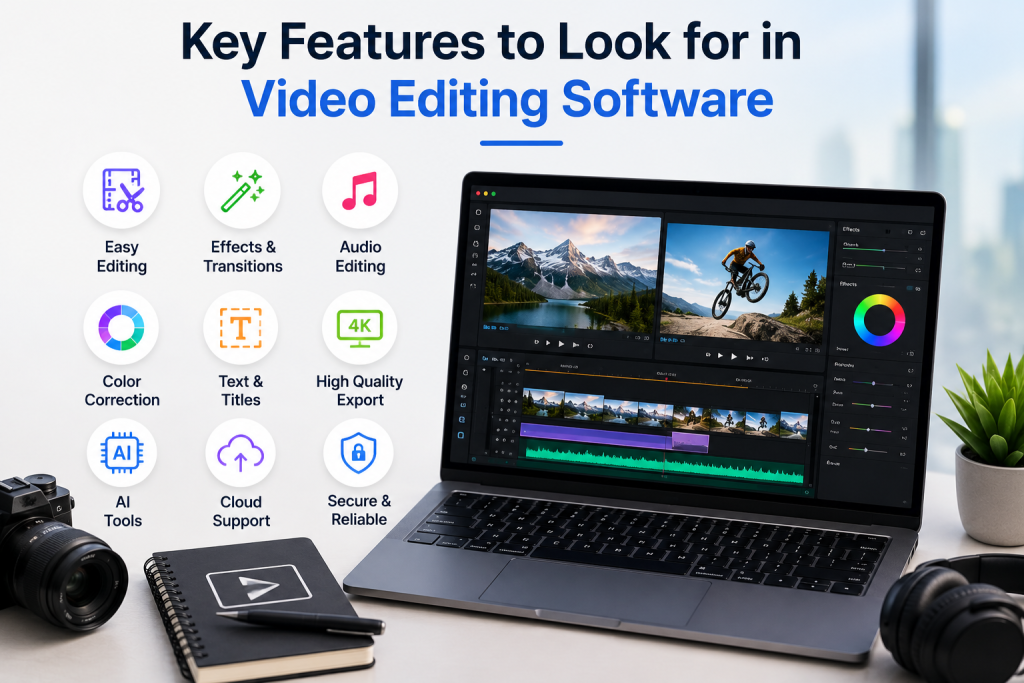
    Key features of video editing software including easy editing, effects, audio editing, color correction, 4K export, AI tools, and cloud support

    Key Features to Look for in Video Editing Software

    Choosing software based only on popularity may not be the best approach. Consider the features that match your specific needs.

    1. Easy-to-Use Interface

    Beginners should look for an intuitive interface with simple timelines, drag-and-drop tools, and easy-to-understand controls. A complicated editor can create a steep learning curve.

    2. AI Video Editing Tools

    AI-powered features are becoming increasingly common in 2026. Depending on the software, AI tools may help with automatic captions, background removal, audio enhancement, scene detection, and other repetitive editing tasks.

    3. Audio Editing

    Clear audio is essential for professional videos. Look for tools that allow you to adjust volume, remove unwanted noise, add music, and synchronize audio with video.

    4. Color Correction

    Color adjustment tools can improve the overall appearance of footage. Advanced software may provide professional color grading controls for creators who want greater creative control.

    5. Export Options

    Good video editing software should support common formats and resolutions. Creators should also check whether the software offers export settings optimized for YouTube, Instagram, TikTok, Facebook, and other platforms.

    6. Performance and Hardware Support

    Video editing can require significant processing power. Before choosing software, check its operating-system requirements and whether your computer has enough RAM, storage, and graphics performance.

    Best Video Editing Software for Different Users

    The best choice depends on your experience and goals.

    Beginners: Simple editors with templates, automated features, and easy controls are generally the best starting point.

    YouTubers: Look for software with strong audio tools, transitions, captions, thumbnails integration, and high-resolution export options.

    Social Media Creators: Fast editing, vertical video support, templates, captions, and AI features can be especially useful.

    Businesses: Businesses may prioritize brand templates, collaboration features, professional exports, and reliable workflow tools.

    Professional Editors: Advanced color grading, visual effects, audio mixing, motion graphics, and multi-track editing are important for professional projects.

    Free vs. Paid Video Editing Software

    Free video editors can be an excellent option for beginners and creators working with limited budgets. However, free versions may include limitations such as watermarks, restricted export quality, fewer effects, or limited advanced features.

    Paid video editing software generally provides more tools, better support, and additional features. Before subscribing, compare the pricing model and determine whether you need the advanced capabilities.

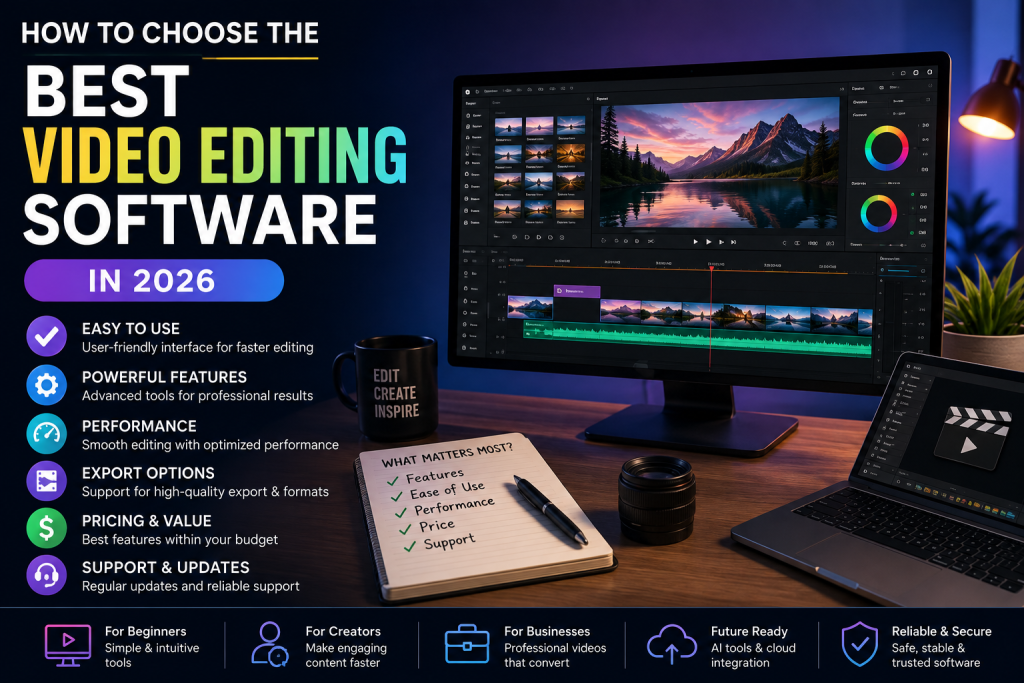
    How to choose the best video editing software in 2026 based on features, performance, pricing, and ease of use

    How to Choose the Best Video Editing Software in 2026

    Start by identifying the type of videos you create. Consider your experience level, computer specifications, preferred platforms, editing requirements, budget, and desired export quality.

    If you primarily create short social media videos, you may not need an expensive professional editor. On the other hand, filmmakers and professional video production teams may benefit from advanced software with extensive editing and collaboration capabilities.

    Also consider whether the software receives regular updates and supports modern video formats and AI-powered workflows.

    Final Thoughts

    The right video editing software can make video creation faster, easier, and more professional. Whether you are a U.S. YouTuber, social media creator, marketer, small business owner, educator, or professional editor, there are options designed for different budgets and skill levels.

    In 2026, focus on software that provides the features you actually need rather than simply choosing the most popular option. A combination of ease of use, powerful editing tools, reliable performance, AI features, and flexible export options can help you create better videos and build a stronger online presence.

  • Accounting Software: Complete  Guide for U.S. Businesses 2026

    Accounting Software: Complete Guide for U.S. Businesses 2026

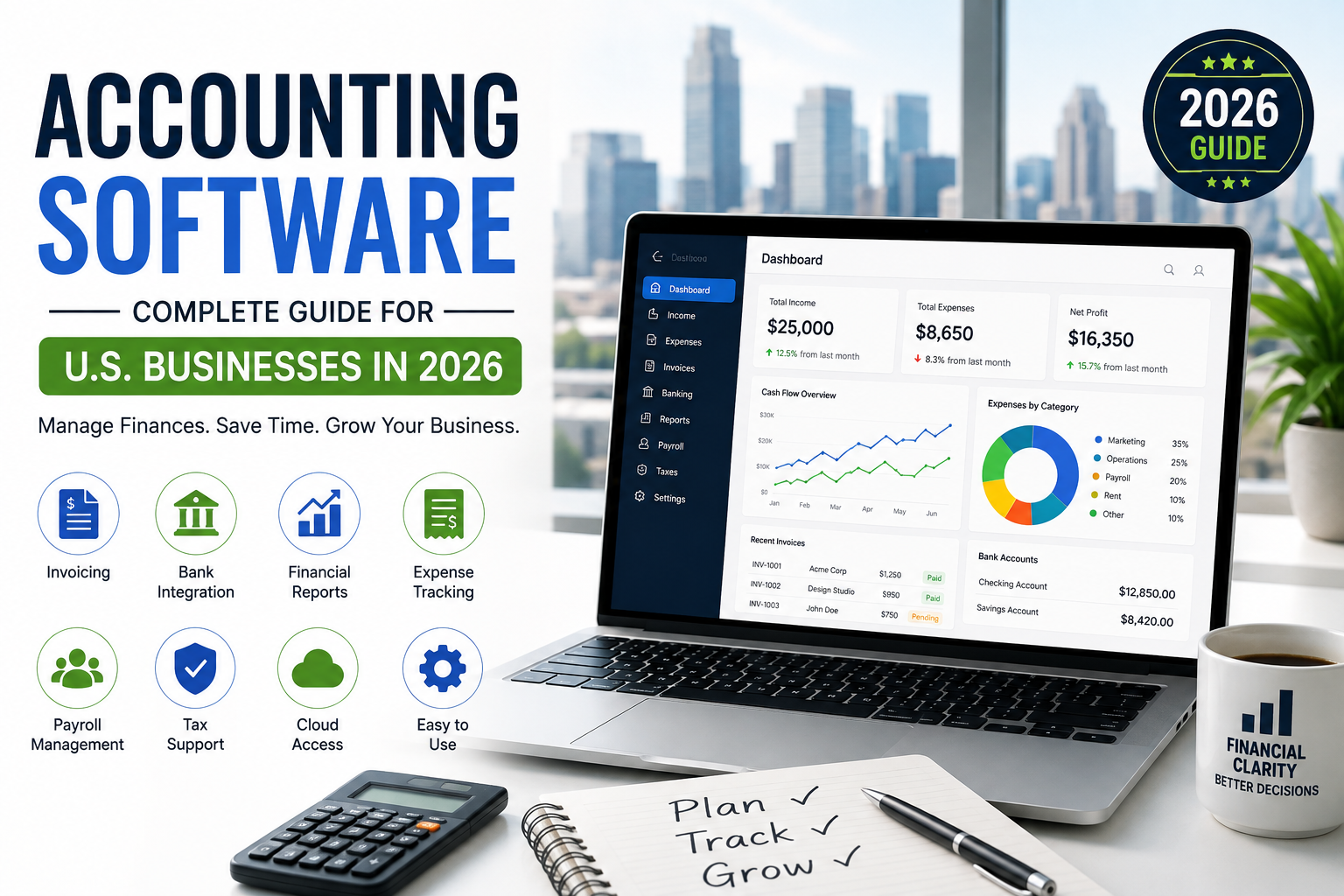
    Choosing the right accounting software can make a major difference in how efficiently a business manages its finances. From tracking income and expenses to creating invoices, managing payroll, and preparing financial reports, modern accounting software helps businesses reduce manual work and maintain better financial control.

    For U.S. businesses, the right solution should also support common American accounting needs, including sales tax tracking, business expense management, financial reporting, and integration with U.S.-based banking and payment platforms.

    What Is Accounting Software?

    Accounting software is a digital tool designed to help businesses record, organize, and manage financial transactions. Instead of relying entirely on spreadsheets or paper records, businesses can use software to automate many everyday accounting tasks.

    Depending on the platform, accounting software may include features such as:

    • Income and expense tracking
    • Invoicing and payment management
    • Bank account synchronization
    • Financial reporting
    • Payroll management
    • Tax preparation support
    • Accounts payable and receivable
    • Inventory tracking
    • Expense receipt management

    These features can help business owners save time while keeping financial information organized.

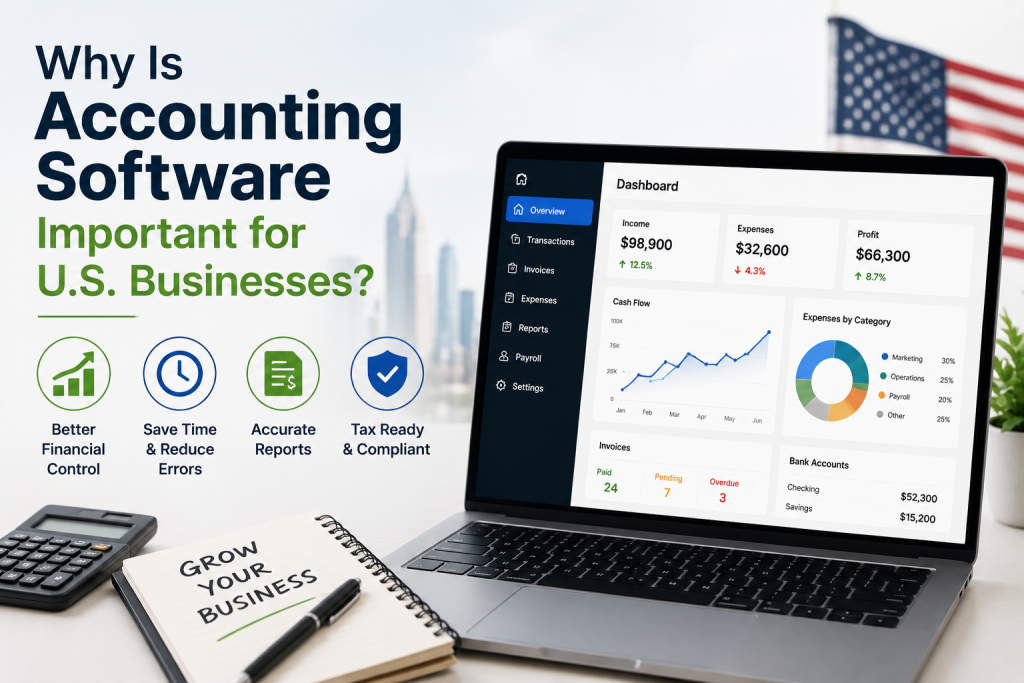
    Why accounting software is important for U.S. businesses, helping with financial control, accurate reports, expense tracking, and tax preparation in 2026

    Why Is Accounting Software Important for U.S. Businesses?

    Managing finances manually becomes increasingly difficult as a business grows. Accounting software provides a centralized system where business owners and accounting professionals can monitor financial activity.

    For U.S. companies, it can also simplify tasks related to business expenses, tax records, financial statements, and cash-flow management.

    Accurate financial records can help business owners understand where their money is going, identify unnecessary expenses, monitor profitability, and make more informed business decisions.

    Key Features to Look for in Accounting Software

    Not every accounting platform offers the same features. Before choosing software, consider the following capabilities.

    1. Income and Expense Tracking

    The software should make it easy to record revenue and business expenses. Automatic transaction imports can reduce the amount of manual data entry required.

    2. Invoicing

    Professional invoicing tools allow businesses to create, send, and track invoices. Some platforms also provide online payment options, helping businesses get paid faster.

    3. Bank Integration

    Bank integration can automatically import transactions from connected financial accounts. This makes reconciliation and financial monitoring easier.

    4. Financial Reports

    Good accounting software should provide reports such as profit and loss statements, balance sheets, cash-flow reports, and expense summaries. These reports give business owners a clearer picture of financial performance.

    5. Tax Support

    Tax-related features can help organize financial information throughout the year. However, businesses should still consult a qualified tax professional for specific tax advice and filing requirements.

    6. Payroll Management

    Businesses with employees may benefit from accounting software that integrates payroll, employee payments, and payroll-related reporting.

    Who Should Use Accounting Software?

    Accounting software is useful for businesses of almost every size. Freelancers, independent contractors, startups, small businesses, nonprofits, and established companies can all benefit from organized financial management.

    A freelancer may primarily need invoicing and expense tracking, while a growing company may require payroll, inventory management, advanced reporting, and multiple-user access.

    Accounting Software for Small Businesses

    For small businesses in the United States, simplicity is often just as important as functionality. The best accounting software for small businesses should be easy to learn, affordable, scalable, and capable of handling essential financial tasks.

    Business owners should consider the number of users, monthly cost, available integrations, customer support, reporting features, and security before making a decision.

    Cloud-Based Accounting Software

    Cloud accounting has become increasingly popular because financial information can be accessed through an internet-connected device. Instead of installing everything on a single computer, cloud-based platforms store information online and can provide access from different locations.

    This can be especially useful for business owners who work remotely or collaborate with accountants and employees.

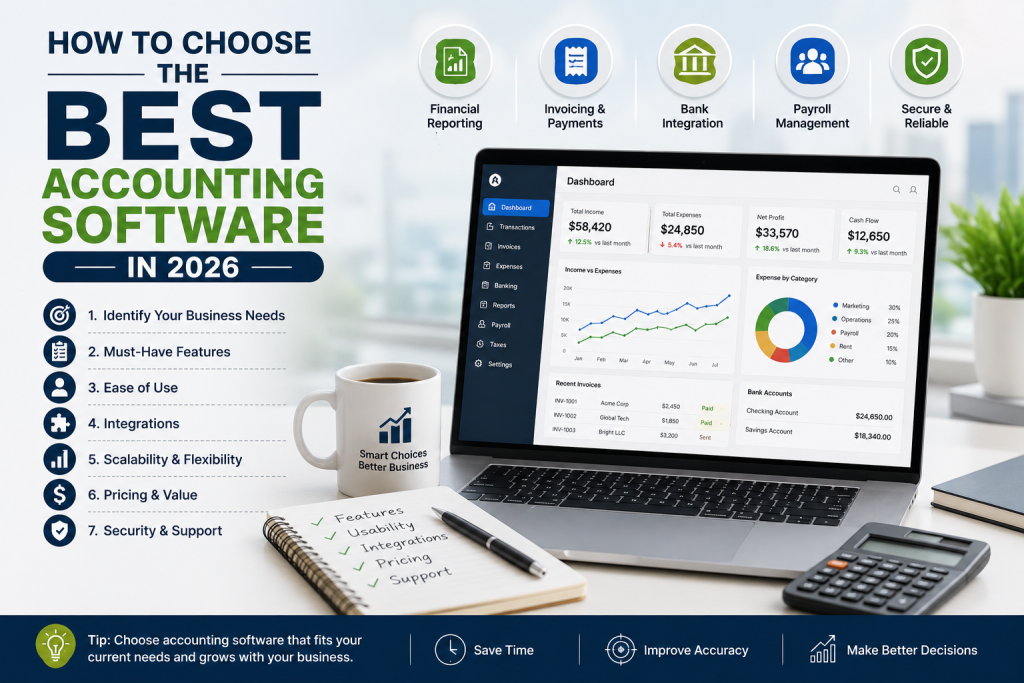
    How to choose the best accounting software in 2026 for business needs, financial reporting, invoicing, banking, payroll, security, and scalability

    How to Choose the Best Accounting Software in 2026

    When comparing accounting software in 2026, start by identifying your business’s specific requirements. Avoid paying for advanced features you will never use, but also consider future growth.
    Look for software that offers strong security, reliable customer support, useful integrations, transparent pricing, and the features your business needs today.

    It is also worth checking whether the software can scale as your business grows.

    Final Thoughts

    The right accounting software can simplify financial management, reduce repetitive administrative work, and give U.S. business owners better visibility into their finances. Whether you run a small business, work as a freelancer, or manage a growing company, choosing software that matches your accounting needs can save time and support better financial decisions.

    Before selecting a platform, compare features, pricing, integrations, security, ease of use, and scalability. A solution that fits your current needs while allowing your business to grow can provide the greatest long-term value.

  • Project Management Software: For Small Business Owners in 2026

    Project Management Software: For Small Business Owners in 2026

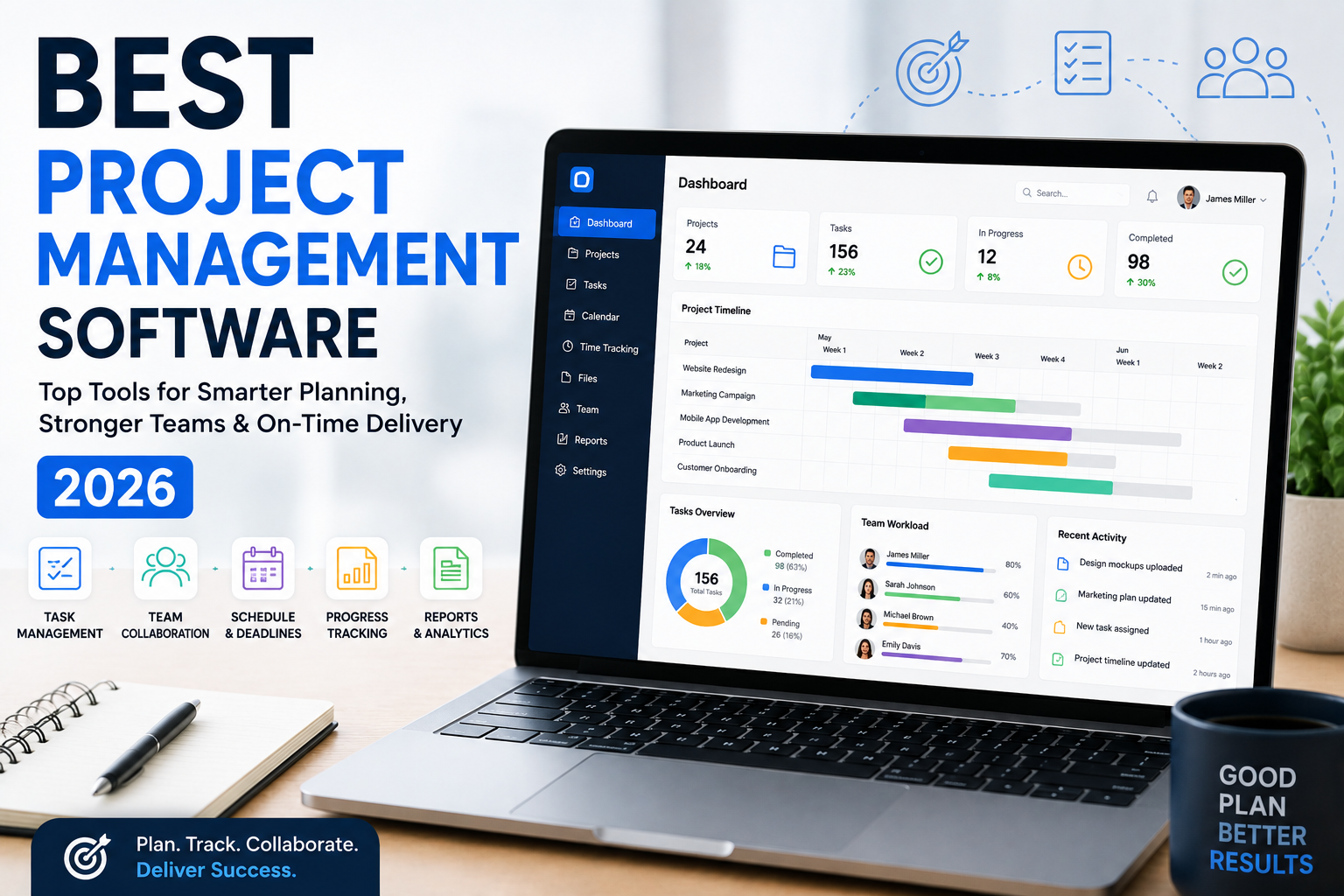
    Managing projects can become difficult when tasks, deadlines, files, and team communication are spread across emails, spreadsheets, and different apps. Project management software brings these activities together in one place, helping businesses plan work, assign responsibilities, track progress, and complete projects on time.

    For U.S. small businesses, choosing the right project management platform can improve productivity while reducing unnecessary administrative work. This guide explains what project management software is, its key benefits, important features, and what businesses should consider when choosing a solution in 2026.

    What Is Project Management Software?

    Project management software is a digital tool designed to help businesses plan, organize, and manage projects from start to finish. It gives teams a central workspace where they can create tasks, assign work, set deadlines, share files, and monitor project progress.

    Many modern platforms also offer dashboards, calendars, Gantt charts, time tracking, automation, reporting, and team collaboration features.

    Instead of relying on multiple spreadsheets or long email threads, businesses can use one platform to keep project information organized and accessible.

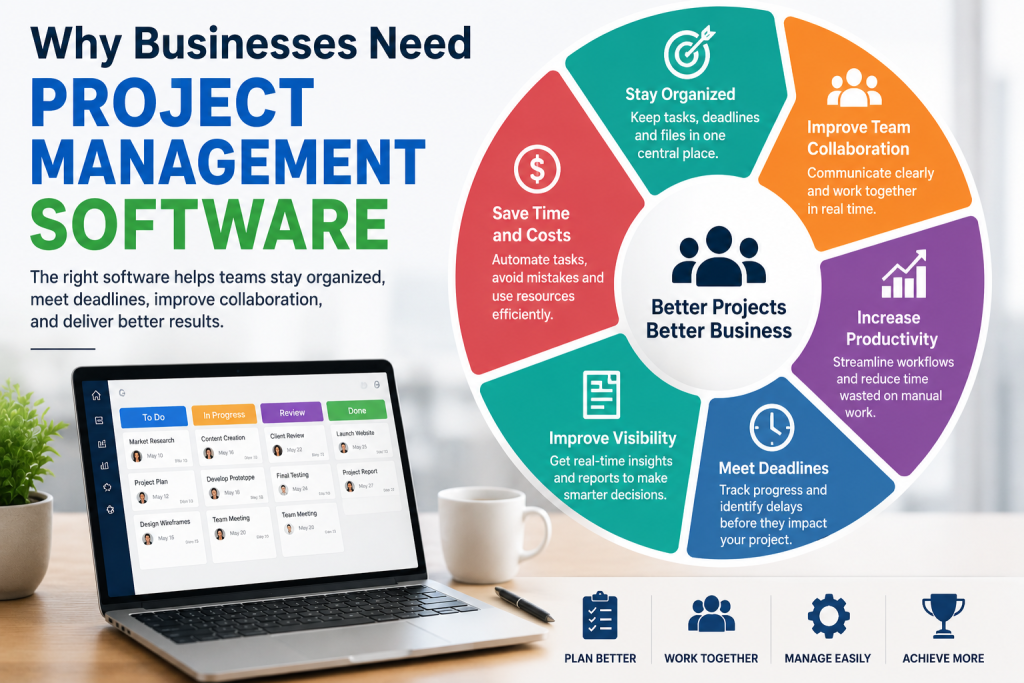
    Why businesses need project management software for better productivity and collaboration

    Why Businesses Need Project Management Software

    Small businesses often have limited employees and resources, making efficient project management especially important. A missed deadline or forgotten task can affect customers, revenue, and business reputation.

    The right project management software can help teams:

    • Organize tasks and projects
    • Set deadlines and priorities
    • Assign responsibilities
    • Track project progress
    • Improve team communication
    • Share documents and files
    • Monitor employee workloads
    • Track project time and expenses
    • Identify potential delays
    • Create performance reports

    For U.S. businesses working with remote employees, freelancers, or distributed teams, these features can make collaboration much easier.

    Key Features to Look For

    Not every project management platform offers the same features. Before choosing software, businesses should identify which tools are most important for their workflow.

    Task Management

    Task management allows users to create tasks, assign them to team members, add deadlines, and track completion. This is one of the most important features for keeping projects organized.

    Project Dashboards

    A dashboard provides an overview of active projects, upcoming deadlines, completed tasks, and potential problems. Managers can quickly understand project status without checking multiple documents.

    Team Collaboration

    Built-in comments, file sharing, notifications, and team discussions can reduce the need for separate communication tools. This is particularly useful for remote and hybrid teams.

    Calendar and Gantt Views

    Calendar views help teams manage deadlines, while Gantt charts provide a visual timeline of project activities. These features are valuable for businesses managing projects with multiple stages.

    Time Tracking

    Time tracking allows businesses to see how much time employees spend on specific tasks or projects. This can help companies improve productivity and estimate future project costs.

    Reporting and Analytics

    Reports can show project performance, team workload, completed tasks, and time spent. Businesses can use this information to identify bottlenecks and make better decisions.

    Popular Project Management Software in 2026

    There are many project management platforms available to U.S. businesses, and the best option depends on company size, budget, industry, and workflow.

    Asana

    Asana is a popular choice for teams that need task management, project planning, collaboration, and workflow organization. Its flexible project views make it suitable for different types of business teams.

    Trello

    Trello uses boards and cards to organize projects visually. Its simple interface can work well for small teams that want an easy way to manage tasks and workflows.

    Monday.com

    Monday.com provides customizable workspaces for managing projects, tasks, workflows, and team activities. Businesses can adapt its boards and dashboards to different operational needs.

    ClickUp

    ClickUp combines project management, task management, documents, goals, and collaboration features in one platform. It can be useful for teams looking for a more comprehensive workspace.

    Wrike

    Wrike is designed for teams managing complex projects and workflows. It offers project planning, collaboration, reporting, and workload management features.

    How to Choose the Best Project Management Software

    The best project management software should match your business’s actual needs. More features do not always mean better software.

    Start by considering your team size, project complexity, budget, and current workflow. A small business managing simple marketing projects may need basic task management and collaboration, while an agency handling multiple clients may require time tracking, reporting, automation, and advanced project views.

    Also check pricing, integrations, mobile access, customer support, security features, and ease of use before making a decision.

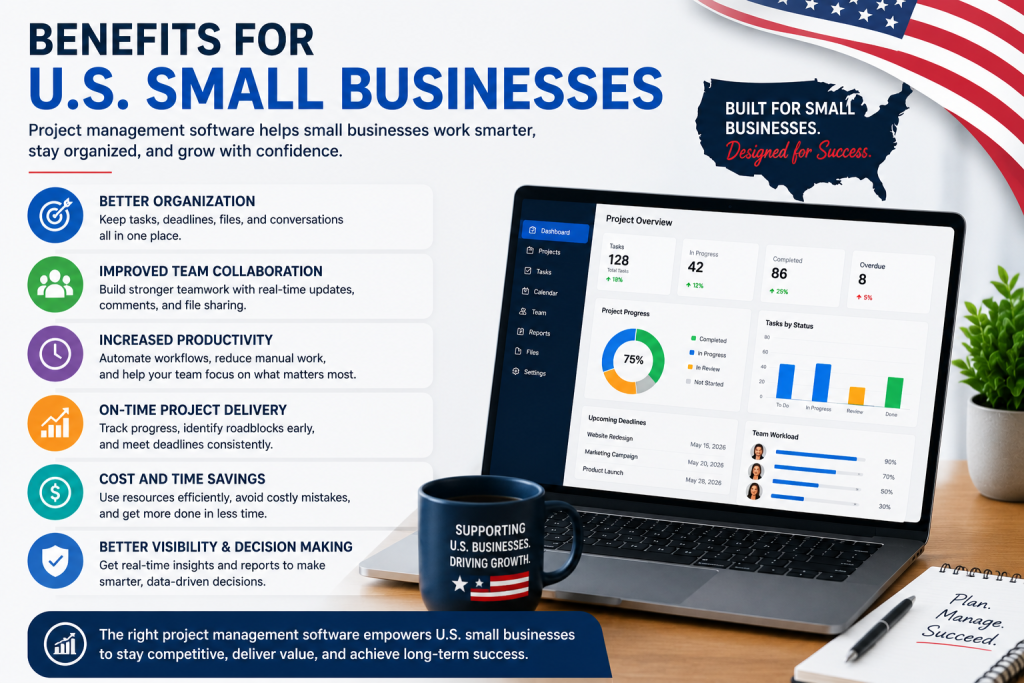
    Benefits of project management software for U.S. small businesses

    Benefits for U.S. Small Businesses

    For small businesses across the United States, project management tools can support both productivity and growth. Teams can spend less time searching for information and more time completing valuable work.

    A centralized system can also make it easier for managers to identify delays, balance workloads, and maintain accountability. When everyone knows what needs to be done and when it needs to be completed, projects can move forward more efficiently.

    Final Thoughts

    Project management software has become an important tool for businesses that want better organization, collaboration, and productivity in 2026. Platforms such as Asana, Trello, Monday.com, ClickUp, and Wrike offer different approaches to managing projects and teams.

    Before choosing a platform, compare its features, pricing, integrations, usability, and scalability. The right solution should simplify your workflow rather than make it more complicated. For U.S. small businesses, investing in practical project management software can help teams stay organized, meet deadlines, and deliver better results.

  • Best CRM Software for Small Businesses in 2026

    Best CRM Software for Small Businesses in 2026

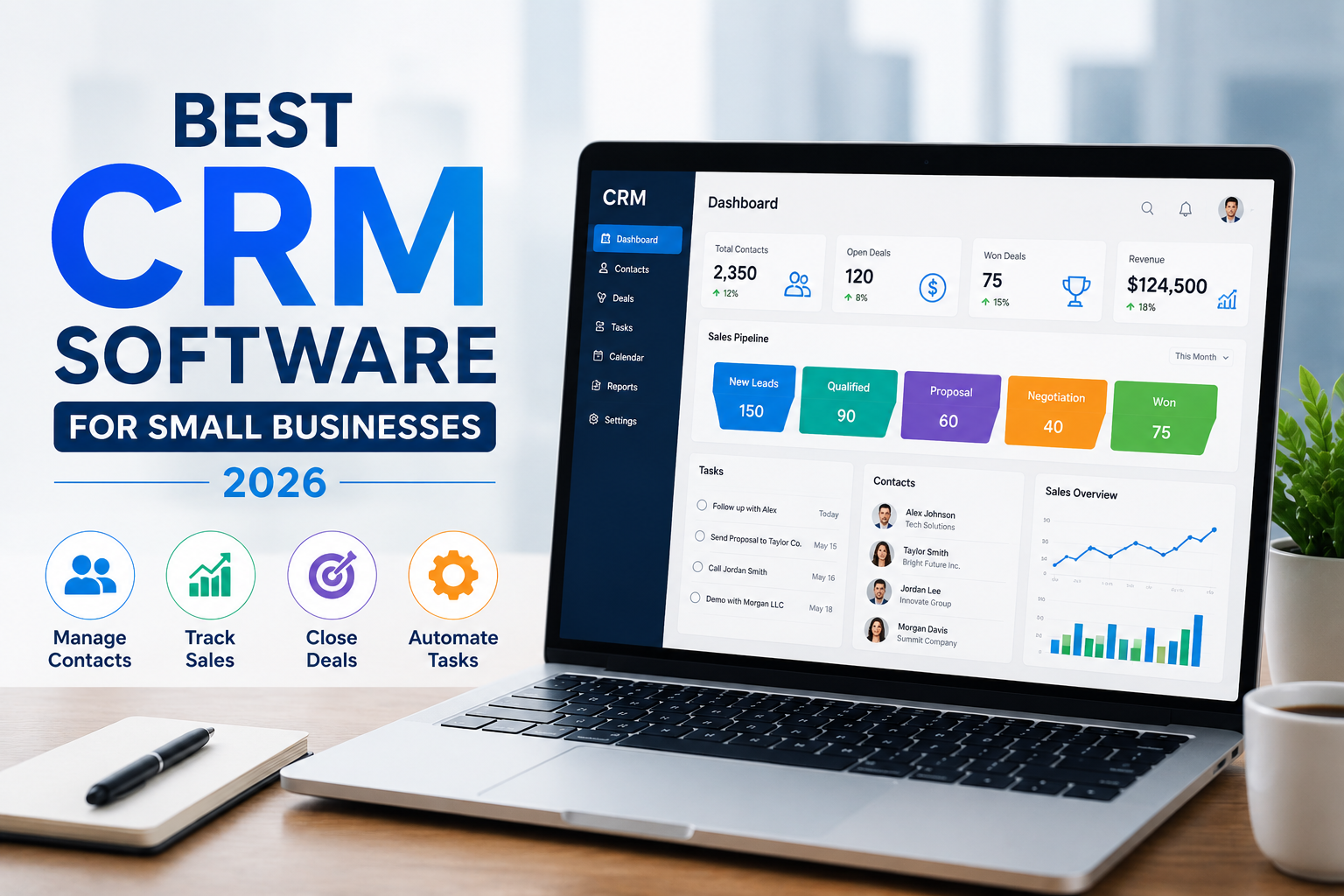
    Choosing the best CRM software can make a major difference in how a small business manages leads, customers, sales, and daily communication. A good Customer Relationship Management (CRM) platform helps businesses organize customer information, track sales opportunities, automate repetitive tasks, and build stronger customer relationships.

    For U.S. small businesses, the right CRM should be affordable, easy to use, scalable, and capable of supporting sales and marketing without creating unnecessary complexity. In this guide, we’ll explain what to look for when choosing the best CRM software in 2026 and highlight some popular options worth considering.

    What Is Best CRM Software?

    CRM software is a business tool that stores and organizes customer and prospect information in one central system. Instead of keeping customer details across spreadsheets, emails, and different applications, businesses can use a CRM to manage everything from one dashboard.

    Most CRM platforms allow businesses to track leads, manage contacts, monitor sales pipelines, schedule follow-ups, and analyze sales performance. Some also include marketing automation, customer service, reporting, and artificial intelligence features.

    Why Small Businesses Need Best CRM Software

    A CRM can help small businesses save time and avoid losing valuable sales opportunities. When customer information is organized, sales teams can quickly see previous conversations, upcoming tasks, and the current stage of each deal.

    The best CRM software for small businesses can help you:

    • Organize leads and customer contacts
    • Track sales opportunities
    • Automate follow-up tasks
    • Manage email communication
    • Monitor sales pipelines
    • Improve customer service
    • Generate business reports
    • Track team performance
    • Reduce manual data entry

    For growing U.S. businesses, these features can create a more organized sales process and make it easier to turn leads into paying customers.

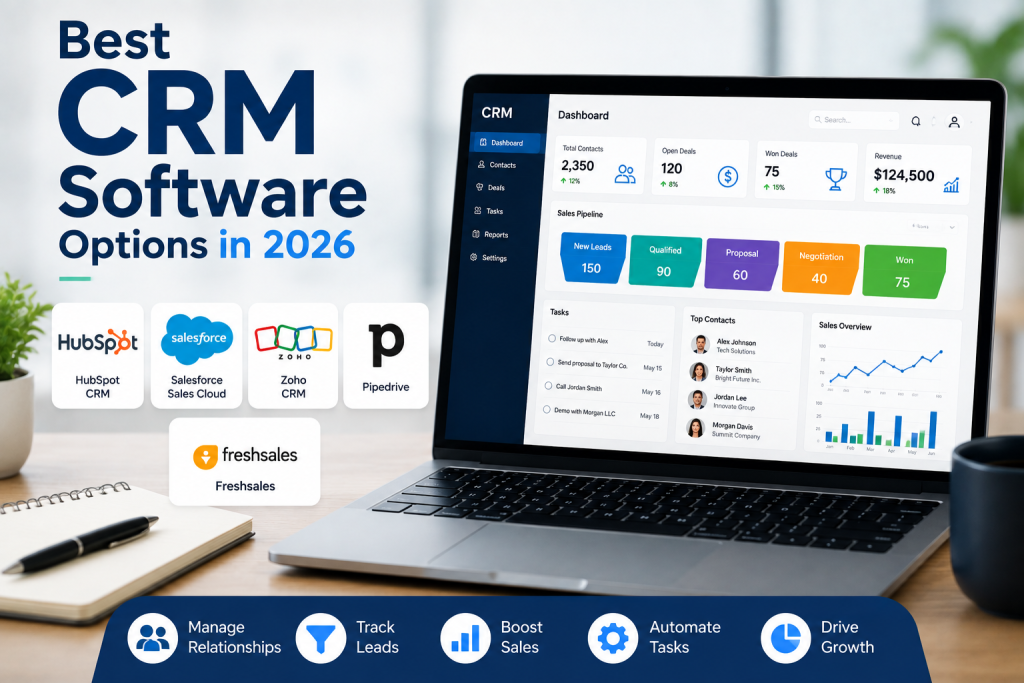
    Best CRM software options in 2026 for small businesses

    Best CRM Software Options in 2026

    There is no single CRM that is perfect for every company. The best choice depends on your business size, budget, industry, sales process, and required features.

    1. HubSpot CRM

    HubSpot CRM is a popular choice for small businesses that want an easy-to-use platform with sales, marketing, and customer management capabilities. Its interface is designed for businesses that want to get started without a complicated setup.

    It can be particularly useful for startups and small teams looking for a CRM that can grow alongside their business.

    2. Salesforce

    Salesforce is one of the best-known CRM platforms and is designed for businesses that need extensive customization and advanced capabilities. It can support more complex sales processes and larger teams.

    However, smaller businesses should carefully evaluate the platform’s features and costs to determine whether its capabilities match their actual needs.

    3. Zoho CRM

    Zoho CRM is another strong option for small and growing businesses. It provides tools for contact management, sales automation, reporting, and customer relationship management.

    Businesses looking for a balance between functionality and affordability may find Zoho CRM worth considering.

    4. Pipedrive

    Pipedrive focuses heavily on sales pipeline management. Its visual approach can make it easier for sales teams to understand where leads and deals currently stand.

    It may be a good choice for small businesses that primarily need a straightforward sales CRM rather than a large all-in-one business platform.

    5. Freshsales

    Freshsales is designed to help businesses manage contacts, leads, conversations, and sales activities. It can be useful for small and medium-sized businesses looking for CRM features combined with sales productivity tools.

    How to Choose the Best CRM Software

    Before purchasing a Best CRM Software, consider your business’s actual requirements. Avoid choosing software simply because it has the largest number of features.

    Start by evaluating ease of use, pricing, integrations, automation, reporting, customization, mobile access, and customer support. You should also consider whether the CRM can grow with your company.

    For example, a small U.S. service business may only need contact management, lead tracking, appointment follow-ups, and email integration. A growing sales team may require advanced automation, reporting, and multiple sales pipelines.

    Final Thoughts

    The best CRM software in 2026 is the platform that fits your business rather than simply the one with the most features. HubSpot, Salesforce, Zoho CRM, Pipedrive, and Freshsales are all worth researching, but the right choice depends on your budget, team size, sales process, and business goals.

    Before making a decision, take advantage of free plans or trials when available. Test the interface, compare essential features, and make sure the Best CRM Software can handle your business as it grows. A well-chosen CRM can help a small business stay organized, follow up with leads more consistently, and build stronger customer relationships.

  • Best Software Reviews: Top Tools & Buying Guide for 2026

    Best Software Reviews: Top Tools & Buying Guide for 2026

    Choosing the right software can be difficult when there are hundreds of platforms competing for your attention. Whether you need business software, marketing tools, project management platforms, accounting solutions, or productivity apps, reliable best software reviews can help you make a smarter decision.

    In 2026, software buyers in the United States are looking beyond simple feature lists. They want to know whether a tool is easy to use, worth the price, secure, scalable, and suitable for their specific needs. This guide explains how to evaluate software and what to look for before making a purchase.

    What Are Software Reviews?

    Software reviews provide an overview of a digital product based on important factors such as features, usability, performance, pricing, customer support, integrations, and overall value.

    The best software reviews don’t simply say that a product is “good” or “bad.” Instead, they explain who the software is best for, what it does well, where it may have limitations, and whether it offers enough value for its cost.

    This makes software reviews especially useful for small businesses, entrepreneurs, marketers, freelancers, and everyday consumers.

    Why Best Software Reviews Matter in 2026

    Software has become an essential part of running a modern business. Companies may use dozens of applications for communication, sales, accounting, marketing, customer service, and project management.

    A detailed review can save users significant time by helping them compare different options before signing up.

    When reading best software reviews, consider:

    • Features and functionality
    • Ease of use
    • Pricing and available plans
    • Customer support
    • Security and privacy
    • Integrations
    • Performance and reliability
    • Scalability
    • Pros and cons
    • Overall value

    These factors can help you determine whether a particular platform matches your requirements.

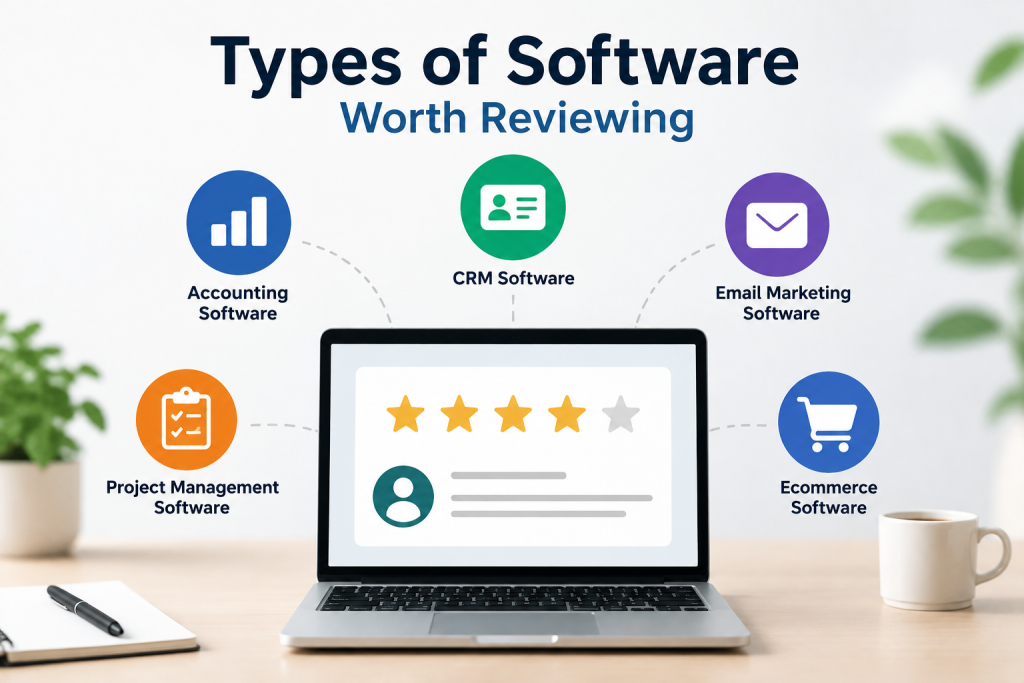
    Types of software worth reviewing for small businesses

    Types of Software Worth Reviewing

    There are many software categories available to US consumers and businesses. Some of the most popular include:

    Business Software

    Business software can help companies manage operations, employees, customers, sales, and finances. CRM platforms, accounting software, HR tools, and business management systems are common examples.

    Marketing Software

    Marketing platforms help businesses manage email campaigns, social media, SEO, advertising, analytics, and customer engagement. Marketing automation tools can also reduce repetitive tasks.

    Project Management Software

    Project management platforms help teams organize tasks, deadlines, documents, communication, and workflows. They can be particularly useful for remote and hybrid teams.

    Productivity Software

    Productivity tools can help individuals and businesses manage calendars, notes, documents, communication, and daily tasks more efficiently.

    Security Software

    Security products protect devices, networks, accounts, and business information. When reviewing security software, privacy, reliability, compatibility, and protection features should receive special attention.

    How to Choose the Best Software

    Finding the best software isn’t necessarily about choosing the platform with the most features. The right choice depends on your goals and budget.

    Start by identifying the problem you want the software to solve. Then create a list of essential features and compare several alternatives.

    You should also consider the total cost. A low monthly price may look attractive, but additional users, premium features, integrations, or annual commitments can increase the actual cost.

    Another important factor is usability. Software that has hundreds of advanced features isn’t useful if your team finds it difficult to operate.

    What Makes the Best Software Reviews Useful?

    High-quality best software reviews should be informative, transparent, and easy to understand. A useful review should explain both strengths and weaknesses instead of focusing entirely on promotion.

    Look for reviews that provide:

    • Clear product information
    • Realistic pros and cons
    • Feature comparisons
    • Pricing information
    • Suitable use cases
    • Alternatives
    • Ease-of-use analysis
    • Security considerations
    • Final recommendations

    This approach allows readers to make decisions based on their individual needs rather than simply following a popularity ranking.

    Software reviews for small businesses showing a laptop with business software ratings

    Software Reviews for Small Businesses

    Small businesses in the US often have limited budgets and fewer employees, making software selection especially important. The right platform can automate repetitive work, improve communication, organize customer information, and help employees become more productive.

    Before purchasing, small-business owners should check whether the software offers flexible plans, reliable support, integrations, and room to scale as the company grows.

    Final Thoughts

    The best software reviews make technology easier to understand and compare. Instead of choosing a platform based only on advertisements or popularity, users can evaluate features, pricing, usability, security, and overall value.

    Whether you’re a US business owner, freelancer, marketer, or individual user, taking time to read detailed best software reviews can help you avoid unnecessary expenses and choose software that genuinely fits your needs.

    In 2026, the smartest approach is to compare multiple platforms, identify your essential requirements, and choose the solution that provides the best combination of functionality, usability, security, and long-term value.